Devices.css
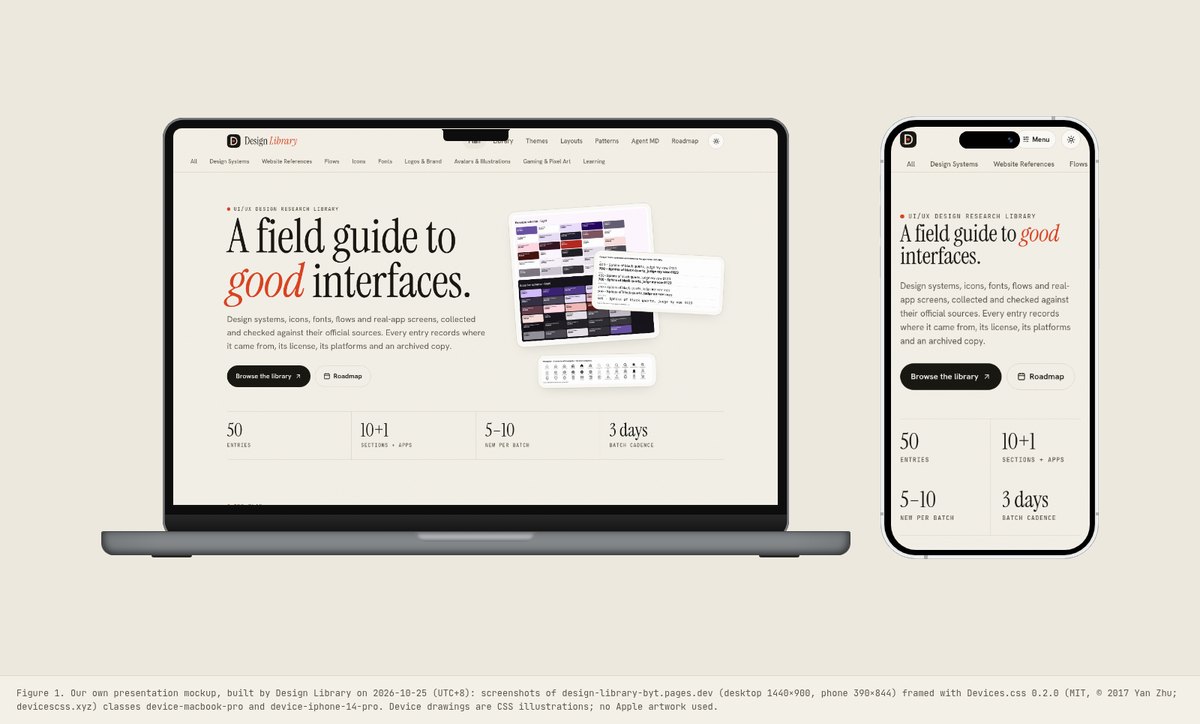
A single MIT-licensed CSS file (about 50 KB minified) that draws modern phones, tablets, laptops and watches in pure CSS, so any screenshot or live page can sit inside a device frame without PNG mockup files. We framed screenshots of this library’s own site in it.
Summary
A single MIT-licensed CSS file (about 50 KB minified) that draws modern phones, tablets, laptops and watches in pure CSS, so any screenshot or live page can sit inside a device frame without PNG mockup files. We framed screenshots of this library’s own site in it.
What it is
Pure-CSS device frames (phones, tablets, laptops) you can drop screenshots or live HTML into for presentations and marketing pages.
Who it’s for
Anyone presenting app or site screens in context: case studies, landing pages, pitch decks and store listings.
Key takeaways
- Devices.css solves a small but frequent problem: showing a screen inside a convincing device without a stack of PNG mockups.
- Each frame is drawn with nested divs and CSS (bezel, notch or dynamic island, buttons, stripes), so it scales crisply, can be recoloured with variant classes and can hold a live page or an image.
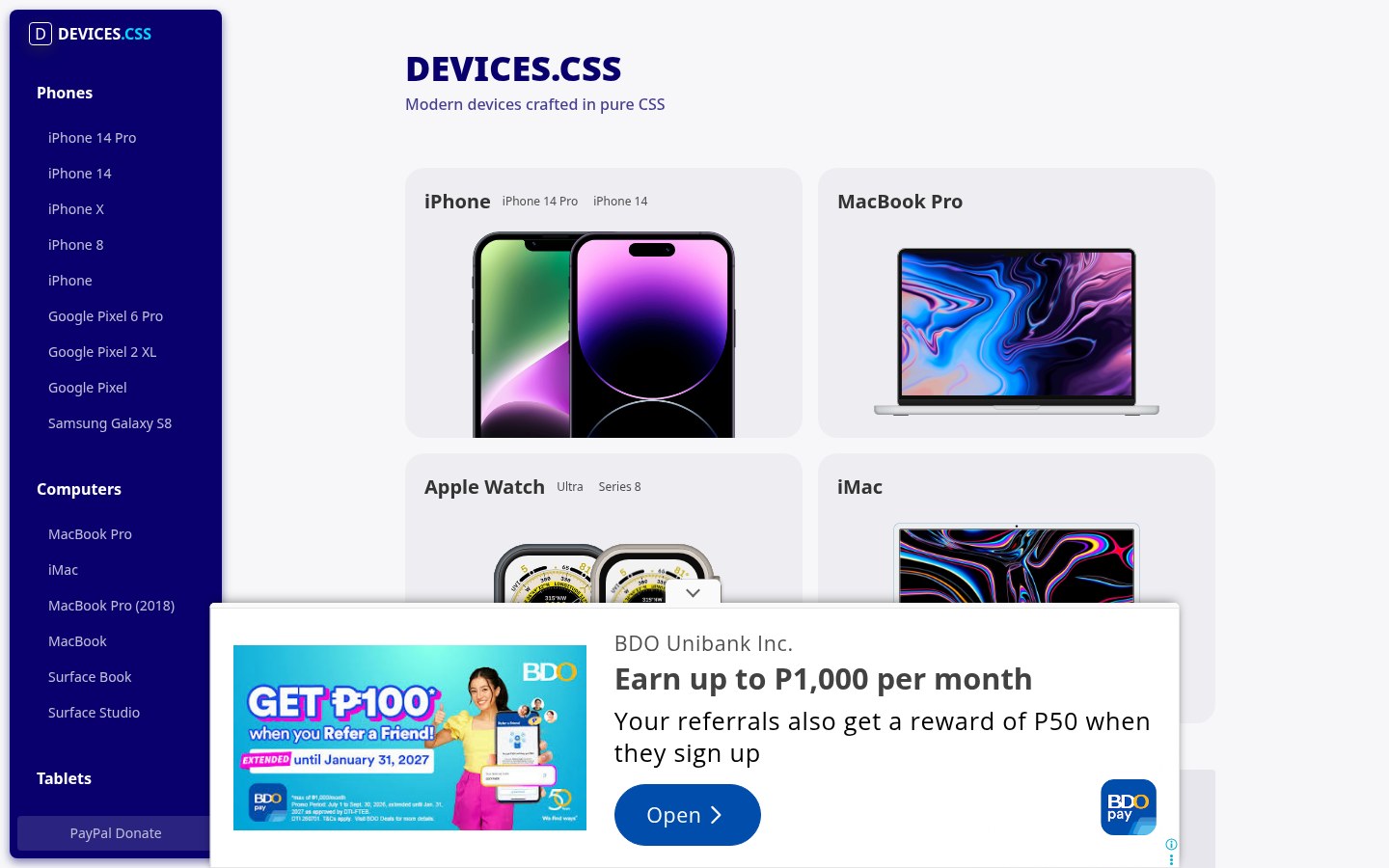
- The project site is a centred gallery of every device with its class name.
- Lessons: present real screens, not lorem ipsum, at the device’s real CSS resolution (390×844 for the iPhone 14 Pro frame); keep the backdrop quiet so the screen carries the colour; and remember the frames are illustrations of real hardware, so do not imply endorsement by the device maker.
Best practices to borrow
- Screenshot at the device’s CSS resolution (390×844 for iPhone 14 Pro) so the screen isn’t blurred or cropped.
- Show real product screens, never lorem ipsum, and avoid notifications or personal data in the status bar.
- Use one device family per presentation and a quiet backdrop so the screen carries the colour.
- Scale the whole frame with transform: scale() rather than resizing parts; the drawing depends on fixed sizes.
- Give framed screenshots meaningful alt text; the frame itself is decorative.
- Don’t imply that Apple, Google or Microsoft endorse your product because their hardware appears in the mockup.
- Keep chrome neutral and let content carry color.
- Center one headline, one sentence and at most two actions; let the next section carry detail.
- Use the real screen size for the frame, export at 2× and label mockups as illustrative, not as real devices.
Deep dive
A structured read of the official pages, terms and package files, checked on 2026-10-25 (UTC+8), logged out. OFFICIAL = stated on the cited page or file; ESTIMATED = measured by us (file sizes, class counts); OURS = our interpretation, not legal advice.
What it is
OFFICIAL- “Modern devices in pure CSS”: phones, tablets, laptops, desktops and watches built from nested divs; README says it is “completely free to use”, MIT © 2017 Yan Zhu.
- Classes include device-iphone-14-pro, device-macbook-pro, device-ipad-pro, device-apple-watch-ultra, device-google-pixel-6-pro, device-surface-book and colour variants such as device-silver, device-gold, device-spacegray.
Files we used
ESTIMATED- devices.css 0.2.0 from npm: dist/devices.min.css is 50,506 bytes; no JavaScript or images.
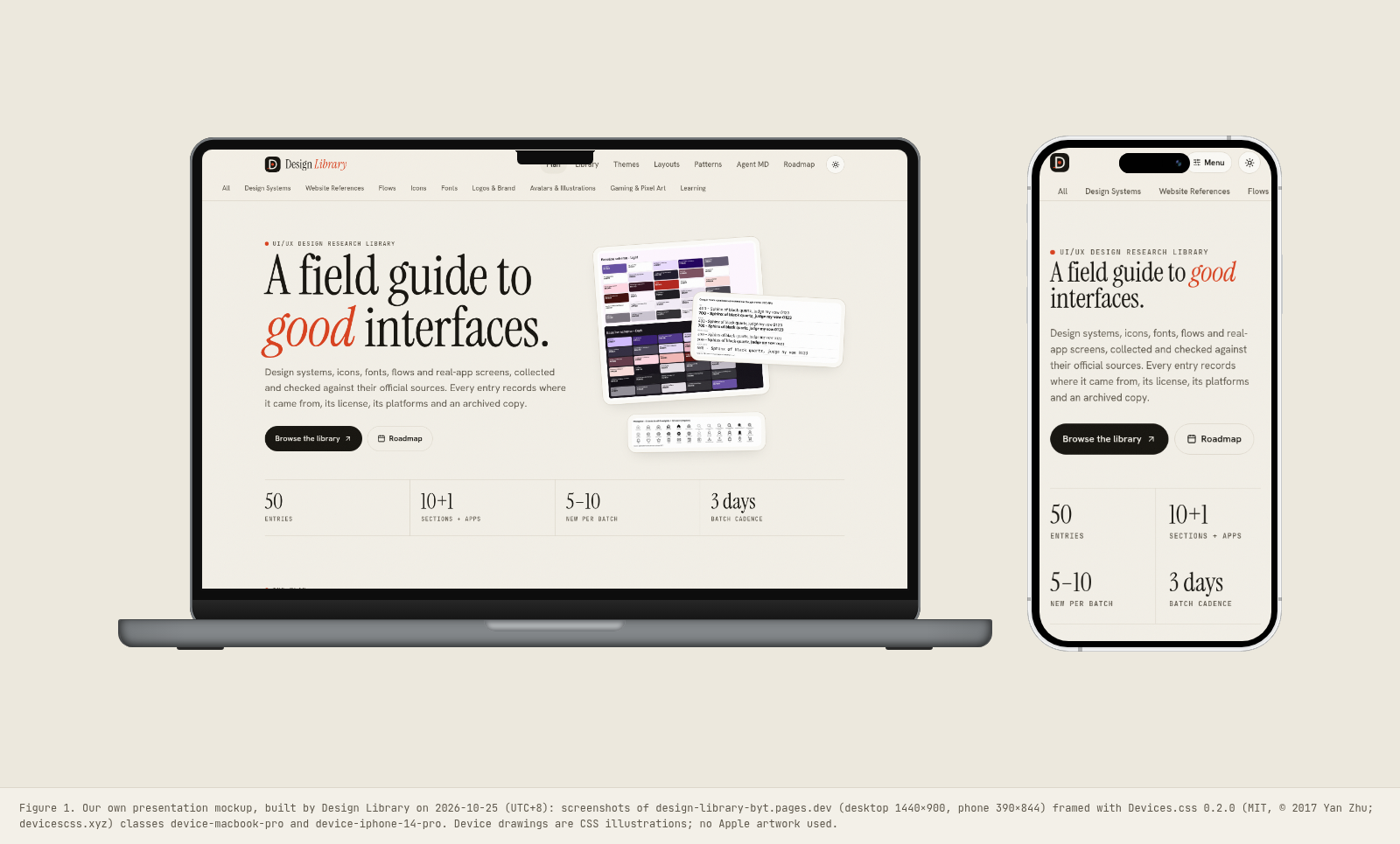
- Our two mockups frame screenshots of this library’s own site (1440×900 desktop, 390×844 phone) in device-macbook-pro and device-iphone-14-pro.
UX analysis
OURS- The project site is a centred gallery: each device rendered at real size with its class name, which works as a picker.
- Pure CSS means frames are crisp at any zoom and can hold live HTML, unlike flat PNG mockups.
- Frames are fixed-size drawings; scale them with transform rather than width, or the parts misalign.
Source: devicescss.xyz/
How to use it well
OURS- Capture screens at the device’s CSS viewport, keep a quiet background and give framed images real alt text.
- Don’t imply endorsement by the hardware maker; the frames are illustrations.
Source: devicescss.xyz/
Palette preview
Quick links
Usage terms at a glance
Our plain-language summary of the license recorded above, as of 2026-10-25. Not legal advice: always read the source’s own terms before shipping.
- Commercial use
- Yes (MIT); README: “completely free to use”
- Attribution
- Keep the MIT notice in the CSS. The frames depict real hardware, so don’t imply the device maker endorses your product
- Redistribution
- Yes, with the MIT notice
- How you get it
- npm (devices.css), CDN (unpkg), GitHub
How to use
npm install devices.css
<link rel="stylesheet" href="https://unpkg.com/devices.css@0.2.0/dist/devices.min.css">
<div class="device device-iphone-14-pro"><div class="device-frame">
  <img class="device-screen" src="screen-390x844.png" alt=""></div>
  <div class="device-stripe"></div><div class="device-header"></div><div class="device-sensors"></div>
  <div class="device-btns"></div><div class="device-power"></div></div>
Reference capture
What the source looked like when we analysed it. A fair-use page capture taken by this library; the site, its artwork and marks belong to their owner, and no asset files are redistributed here.
Figures
Our own mockup built from the open-licensed (MIT) files; each caption names the files, version and licence.
Related entries
Picked by us (OURS) for what you’ll want next after this entry, with the reason for each.
Flowbite (free, open-source)
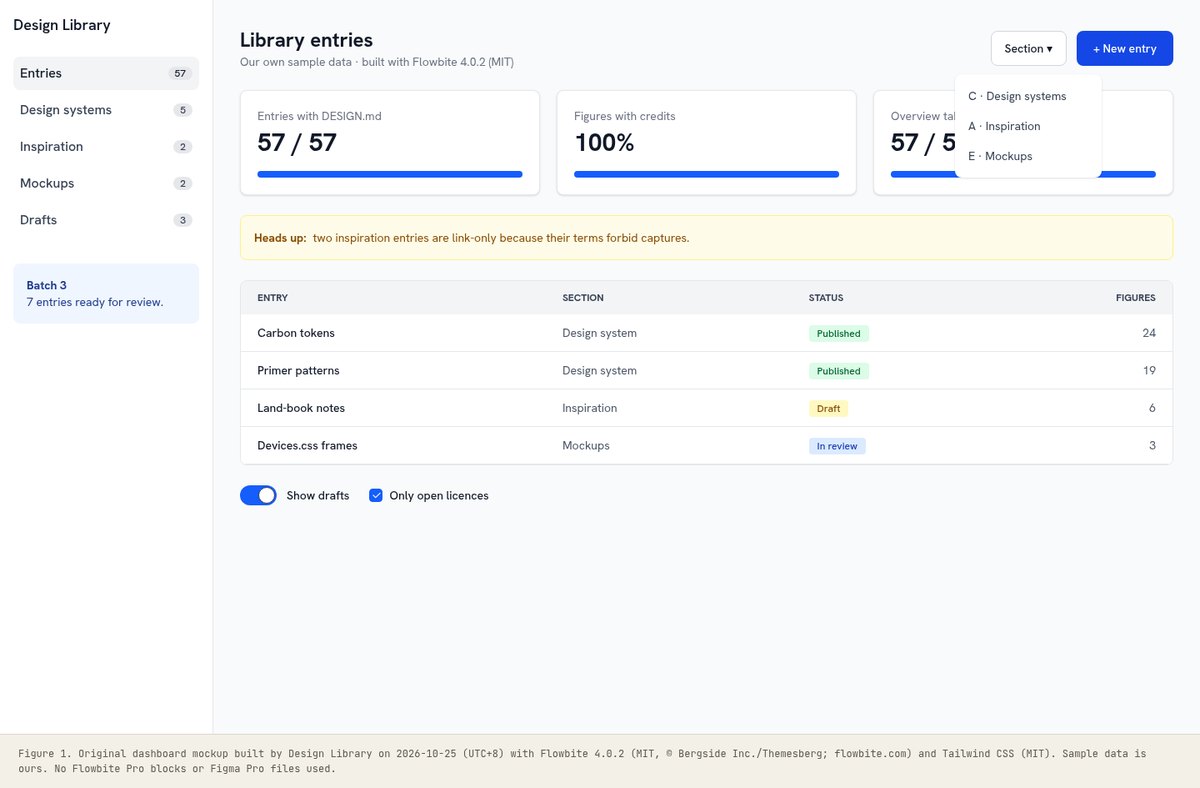
Why: Build the screen with Flowbite, then frame it with Devices.css.
Apple
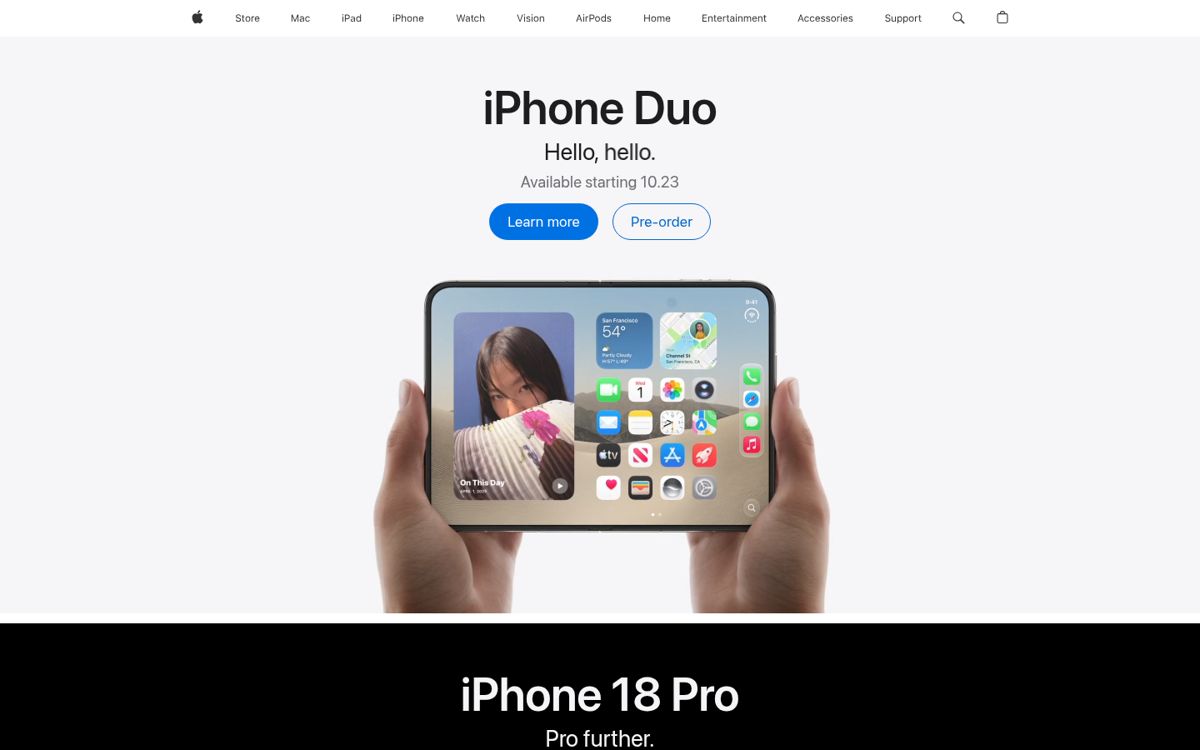
Why: Apple’s product pages are the reference for how devices are staged and lit.
Linear onboarding flow
Why: Onboarding flows like Linear’s read best when each step sits inside a phone frame.
unDraw
Why: unDraw illustrations make good placeholder screens inside a device frame.
Dominant palette from our captures
Measured by us from our screenshot(s) of https://devicescss.xyz/ (median-cut quantization; share = % of pixels). Approximate and not official.
Layout pattern: Centered hero
Observed by us on the captured page(s). See all entries by layout.
How to apply it: Center one headline, one sentence and at most two actions; let the next section carry detail.
Other entries with this layout: Iconify, LogoLounge, Slack media kit, Notion, Raycast, Arc, Apple, Multiavatar, Humaaans, unDraw, Notion onboarding flow, Interface In Game.
Components
Observed on the captured pages.
- iPhone 14 Pro, iPhone 14, iPhone X, iPhone 8
- Google Pixel, Pixel 2 XL, Pixel 6 Pro; Galaxy S8
- iPad Pro (two generations); Surface Pro 2017
- MacBook, MacBook Pro (two generations), Surface Book
- iMac, iMac Pro, Pro Display XDR, Surface Studio
- Apple Watch Series 8 and Ultra
- Colour variants (silver, gold, black, blue, purple, starlight…)
Our analysis
Devices.css solves a small but frequent problem: showing a screen inside a convincing device without a stack of PNG mockups. Each frame is drawn with nested divs and CSS (bezel, notch or dynamic island, buttons, stripes), so it scales crisply, can be recoloured with variant classes and can hold a live page or an image. The project site is a centred gallery of every device with its class name. Lessons: present real screens, not lorem ipsum, at the device’s real CSS resolution (390×844 for the iPhone 14 Pro frame); keep the backdrop quiet so the screen carries the colour; and remember the frames are illustrations of real hardware, so do not imply endorsement by the device maker.
Similar to this
Ranked by shared category, type, industry sector and UX patterns first, then colour theme, layout and mood. Curated picks with reasons are on the Overview tab.

Downloads
PDF: research notes made for this library; third-party images inside follow the credits in their captions. License / terms of the source: MIT (© 2017 Yan Zhu); “completely free to use” per the README. Device shapes are CSS drawings, not Apple/Google artwork
DESIGN.md for AI coding agents
Copy this into your repo or agent context. OFFICIAL and ESTIMATED values are labelled.
# DESIGN.md · Devices.css (MK-002)

> Written for AI coding agents. Values marked **OFFICIAL** come from the documented source named below; values marked **ESTIMATED** were measured by us from our own screenshots and are approximate. Never treat ESTIMATED values as official brand tokens.

## Overview
- Type: Device Mockup · Category: E. Mockups and Templates
- Platforms: Web, HTML/CSS
- Color theme: Monochrome light · Layout pattern: Centered hero · Mood: Clean, presentational
- License / terms: MIT (© 2017 Yan Zhu); “completely free to use” per the README. Device shapes are CSS drawings, not Apple/Google artwork
- Industry: Open-source design assets
- Patterns: In-context product preview, Live component demo

A single MIT-licensed CSS file (about 50 KB minified) that draws modern phones, tablets, laptops and watches in pure CSS, so any screenshot or live page can sit inside a device frame without PNG mockup files. We framed screenshots of this library’s own site in it.

### Analysis (ours)
Devices.css solves a small but frequent problem: showing a screen inside a convincing device without a stack of PNG mockups. Each frame is drawn with nested divs and CSS (bezel, notch or dynamic island, buttons, stripes), so it scales crisply, can be recoloured with variant classes and can hold a live page or an image. The project site is a centred gallery of every device with its class name. Lessons: present real screens, not lorem ipsum, at the device’s real CSS resolution (390×844 for the iPhone 14 Pro frame); keep the backdrop quiet so the screen carries the colour; and remember the frames are illustrations of real hardware, so do not imply endorsement by the device maker.

### Best practices (ours)
- Screenshot at the device’s CSS resolution (390×844 for iPhone 14 Pro) so the screen isn’t blurred or cropped.
- Show real product screens, never lorem ipsum, and avoid notifications or personal data in the status bar.
- Use one device family per presentation and a quiet backdrop so the screen carries the colour.
- Scale the whole frame with transform: scale() rather than resizing parts; the drawing depends on fixed sizes.
- Give framed screenshots meaningful alt text; the frame itself is decorative.
- Don’t imply that Apple, Google or Microsoft endorse your product because their hardware appears in the mockup.

### Deep analysis
Values marked OFFICIAL come from the cited official page, terms page or package file, fetched 2026-10-25 (UTC+8), logged out. ESTIMATED values were measured by us that day (file sizes, class counts). OURS is our interpretation, not legal advice.

#### What it is (OFFICIAL) · source: https://github.com/picturepan2/devices.css
- “Modern devices in pure CSS”: phones, tablets, laptops, desktops and watches built from nested divs; README says it is “completely free to use”, MIT © 2017 Yan Zhu.
- Classes include device-iphone-14-pro, device-macbook-pro, device-ipad-pro, device-apple-watch-ultra, device-google-pixel-6-pro, device-surface-book and colour variants such as device-silver, device-gold, device-spacegray.

#### Files we used (ESTIMATED) · source: https://github.com/picturepan2/devices.css
- devices.css 0.2.0 from npm: dist/devices.min.css is 50,506 bytes; no JavaScript or images.
- Our two mockups frame screenshots of this library’s own site (1440×900 desktop, 390×844 phone) in device-macbook-pro and device-iphone-14-pro.

#### UX analysis (OURS) · source: https://devicescss.xyz/
- The project site is a centred gallery: each device rendered at real size with its class name, which works as a picker.
- Pure CSS means frames are crisp at any zoom and can hold live HTML, unlike flat PNG mockups.
- Frames are fixed-size drawings; scale them with transform rather than width, or the parts misalign.

#### How to use it well (OURS) · source: https://devicescss.xyz/
- Capture screens at the device’s CSS viewport, keep a quiet background and give framed images real alt text.
- Don’t imply endorsement by the hardware maker; the frames are illustrations.

### Usage terms at a glance (our summary, not legal advice)
- Commercial use: Yes (MIT); README: “completely free to use”
- Attribution: Keep the MIT notice in the CSS. The frames depict real hardware, so don’t imply the device maker endorses your product
- Redistribution: Yes, with the MIT notice
- How you get it: npm (devices.css), CDN (unpkg), GitHub

## Color tokens
No official color tokens documented for this entry.

ESTIMATED · dominant colors measured from our screenshot(s) of the source site (median-cut quantization; share = % of pixels). Approximate, not official:

- `#F7F7F9` ~32%
- `#140668` ~15%
- `#616A9F` ~8%
- `#A3CDD9` ~5%
- `#030139` ~4%
- `#A9F3ED` ~1%

## Typography
No official type scale documented for this entry; use the product’s own typography guidance.

## Spacing, radii, shadows
Not documented for this entry. Do not invent values; derive from your own design system.

## Components
- iPhone 14 Pro, iPhone 14, iPhone X, iPhone 8
- Google Pixel, Pixel 2 XL, Pixel 6 Pro; Galaxy S8
- iPad Pro (two generations); Surface Pro 2017
- MacBook, MacBook Pro (two generations), Surface Book
- iMac, iMac Pro, Pro Display XDR, Surface Studio
- Apple Watch Series 8 and Ultra
- Colour variants (silver, gold, black, blue, purple, starlight…)

## Layout rules
- Observed layout pattern: **Centered hero** (from our captures).

## Usage
```
npm install devices.css
<link rel="stylesheet" href="https://unpkg.com/devices.css@0.2.0/dist/devices.min.css">
<div class="device device-iphone-14-pro"><div class="device-frame">
  <img class="device-screen" src="screen-390x844.png" alt=""></div>
  <div class="device-stripe"></div><div class="device-header"></div><div class="device-sensors"></div>
  <div class="device-btns"></div><div class="device-power"></div></div>
```

## Do’s and don’ts
- Do: Keep chrome neutral and let content (images, icons, type) carry color.
- Don’t: Don’t introduce decorative color that competes with content.
- Do: follow the source’s license/terms listed above.
- Don’t: present ESTIMATED colors as official tokens.

## Related entries (ours)
- MK-001: Build the screen with Flowbite, then frame it with Devices.css. · https://design-library-byt.pages.dev/entry/MK-001
- WR-008: Apple’s product pages are the reference for how devices are staged and lit. · https://design-library-byt.pages.dev/entry/WR-008
- FL-001: Onboarding flows like Linear’s read best when each step sits inside a phone frame. · https://design-library-byt.pages.dev/entry/FL-001
- AV-008: unDraw illustrations make good placeholder screens inside a device frame. · https://design-library-byt.pages.dev/entry/AV-008

## Sources
- https://devicescss.xyz/
- Library entry: https://design-library-byt.pages.dev/entry/MK-002