Notion
Light, illustrated marketing site; pricing with plan toggle and comparison; sign-up redirects to app.notion.com with an email-first form.
Summary
Light, illustrated marketing site; pricing with plan toggle and comparison; sign-up redirects to app.notion.com with an email-first form.
What it is
A well-designed public website, captured by us (hero, key pages and a public flow) as a reference.
Who it’s for
Designers and front-end developers studying landing pages, pricing pages and sign-up entry points.
Key takeaways
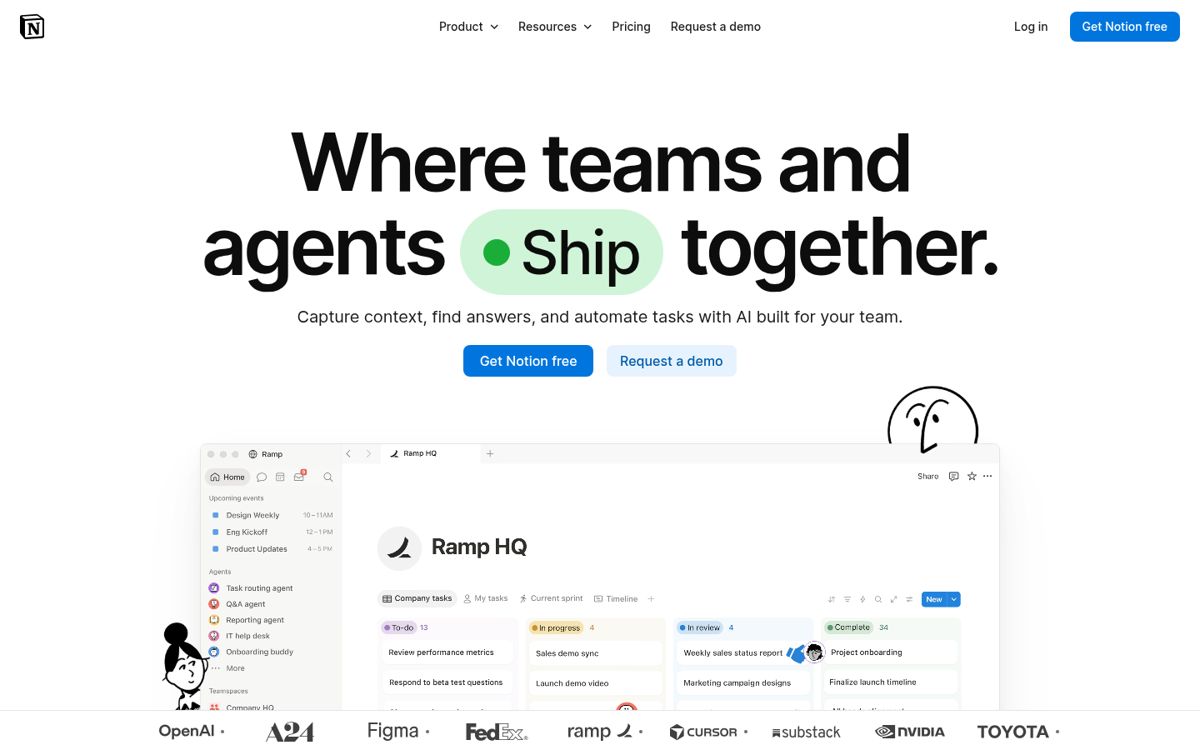
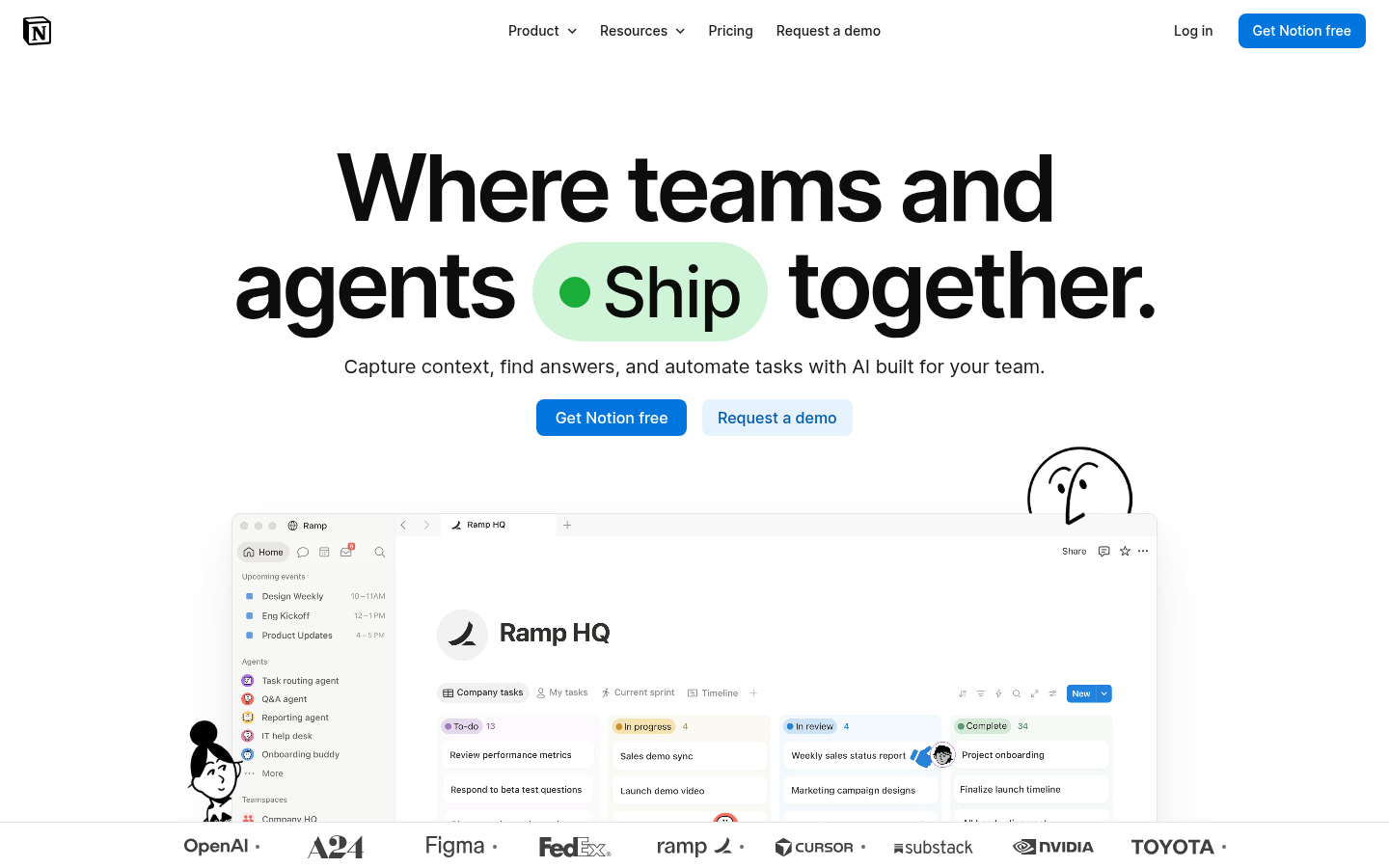
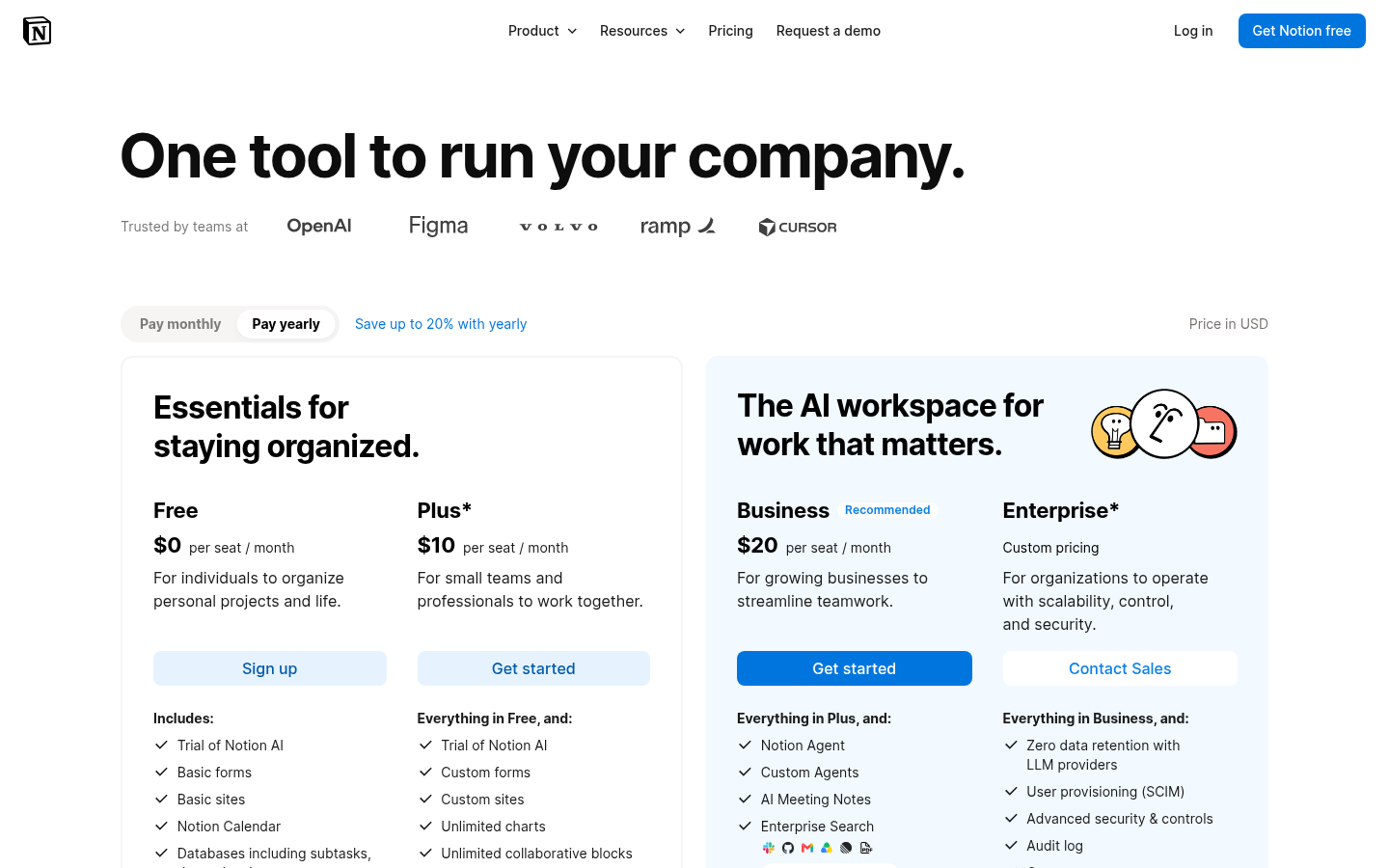
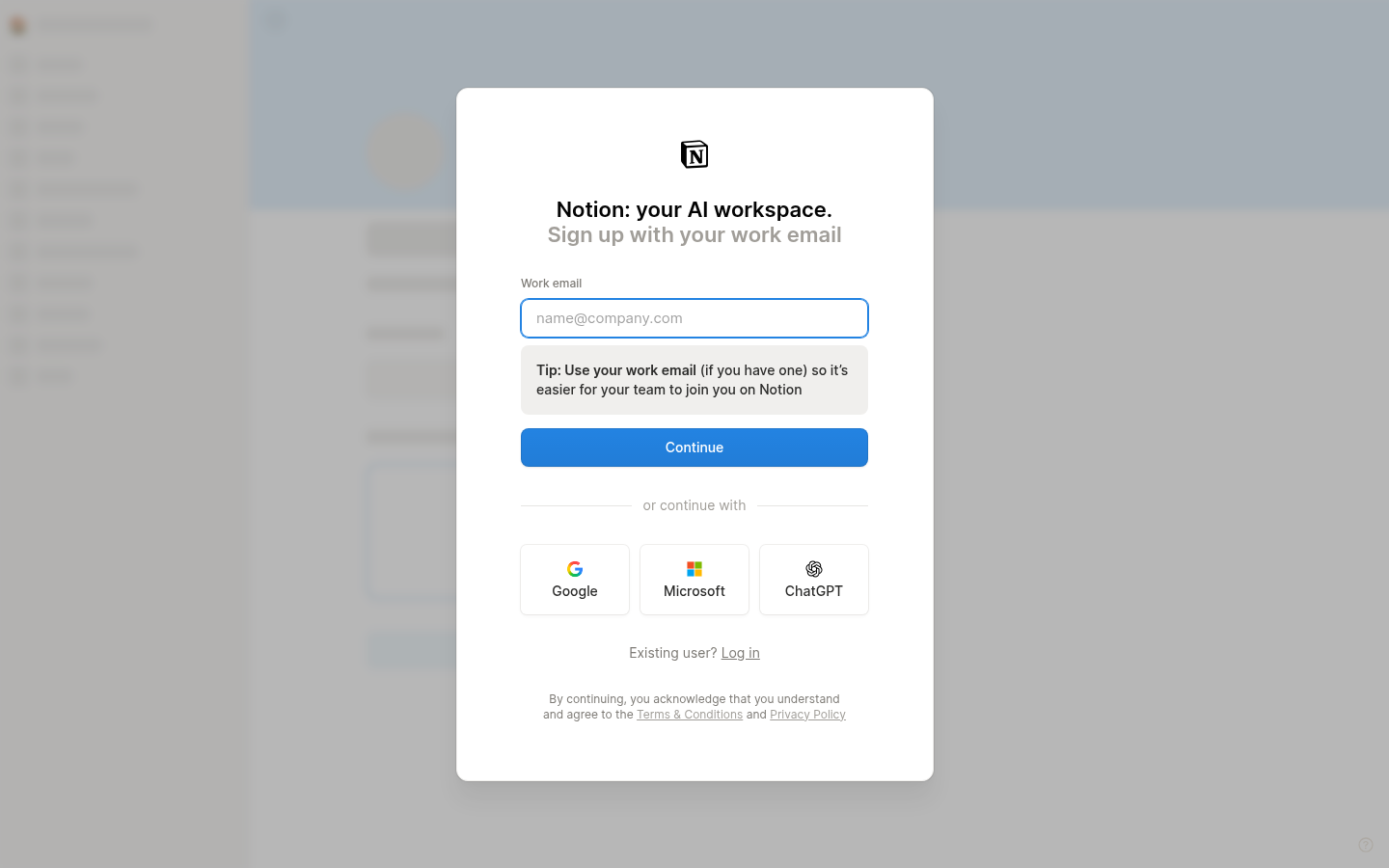
- Captured notion.com: white page, black-and-white hand-drawn illustrations and a few accent highlights; pricing with plan cards and a comparison table; email-first sign-up.
- Color: monochrome light theme; dominant colors #FFFFFF, #B7B7B7, #596B7C (ESTIMATED from our capture).
- Layout: split hero pattern, friendly, illustrated mood.
Best practices to borrow
- Keep chrome neutral and let content carry color.
- Put the promise on one side and proof (product, media or illustration) on the other; keep the headline short.
- Borrow structure and hierarchy, not brand assets; check contrast on any accent you take.
Palette preview
Quick links
Screenshots and the step-by-step flow are in the Flow tab and the Inside the product tab.
Dominant palette from our captures
Measured by us from our screenshot(s) of https://www.notion.com (median-cut quantization; share = % of pixels). Approximate and not official.
Layout pattern: Split hero
Observed by us on the captured page(s). See all entries by layout.
How to apply it: Put the promise on one side and proof (product, media or illustration) on the other; keep the headline short.
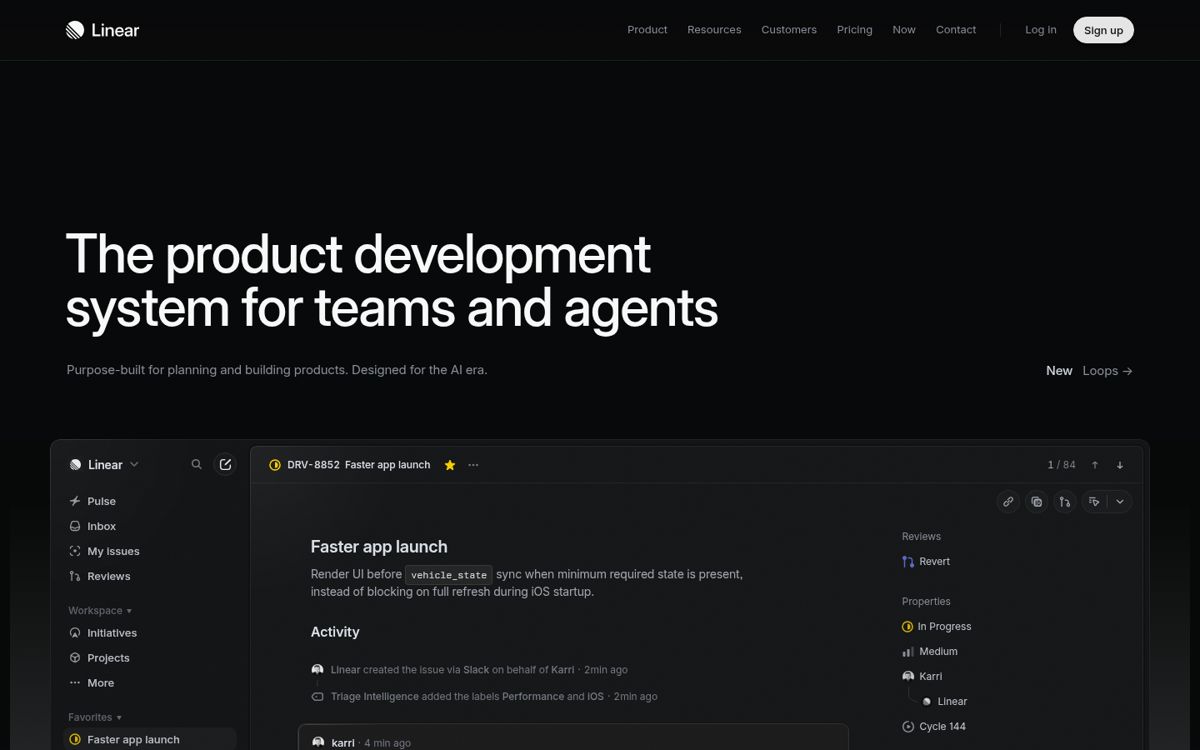
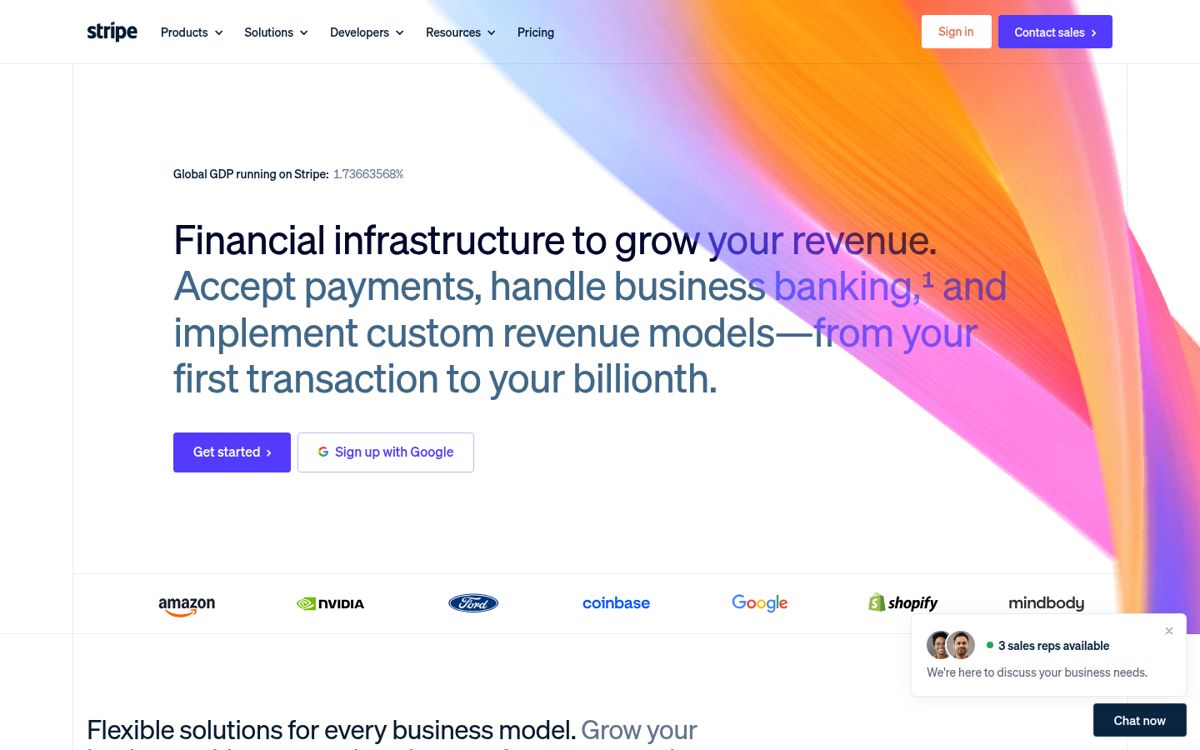
Other entries with this layout: Material Design 3, Heroicons, Phosphor Icons, Linear, Stripe, DiceBear, Open Peeps, Humaaans, Blush, Linear onboarding flow.
Components
Observed on the captured pages.
- Top nav
- Illustrated hero
- Plan cards
- Comparison table
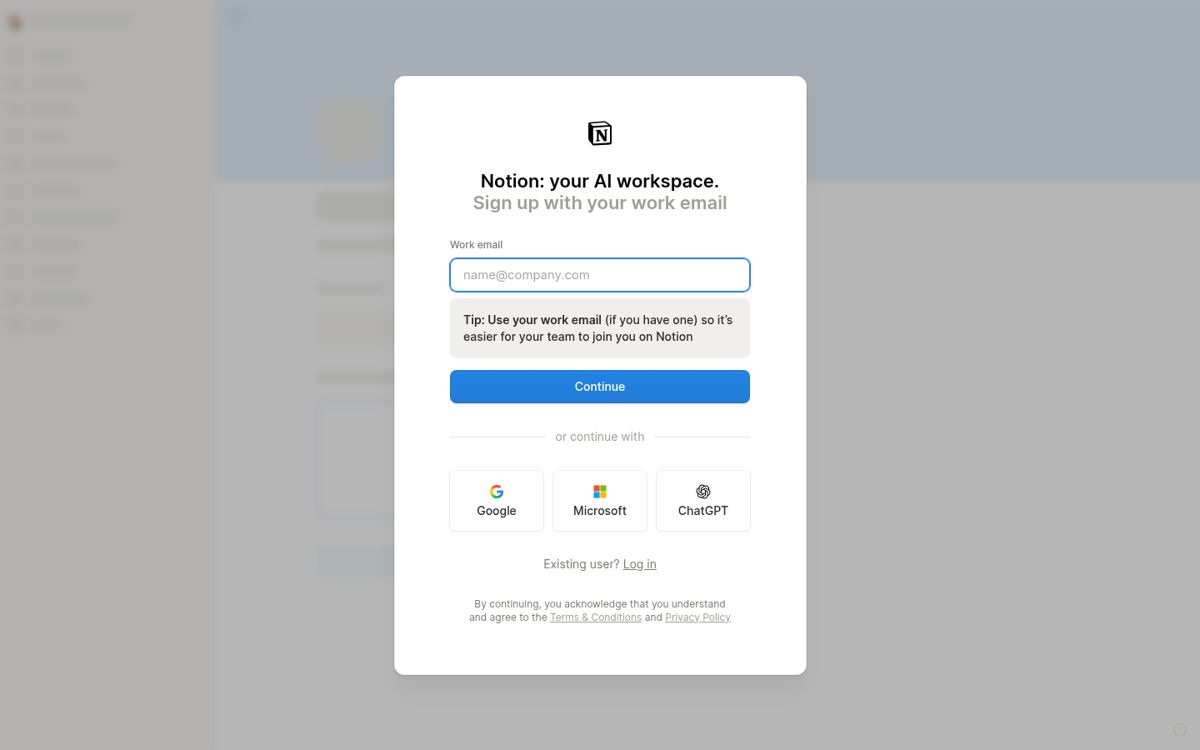
- Email sign-up form
Landing → Pricing → Sign-up entry
Captured with a headless browser. The capture stopped at the sign-up or entry page: no forms were submitted and no login walls were passed. These screenshots are fair-use reference captures; the sites, content and marks belong to their owners.
Mermaid source
flowchart LR
  S1["Landing"] --> S2
  S2["Pricing"] --> S3
  S3["Sign-up entry"]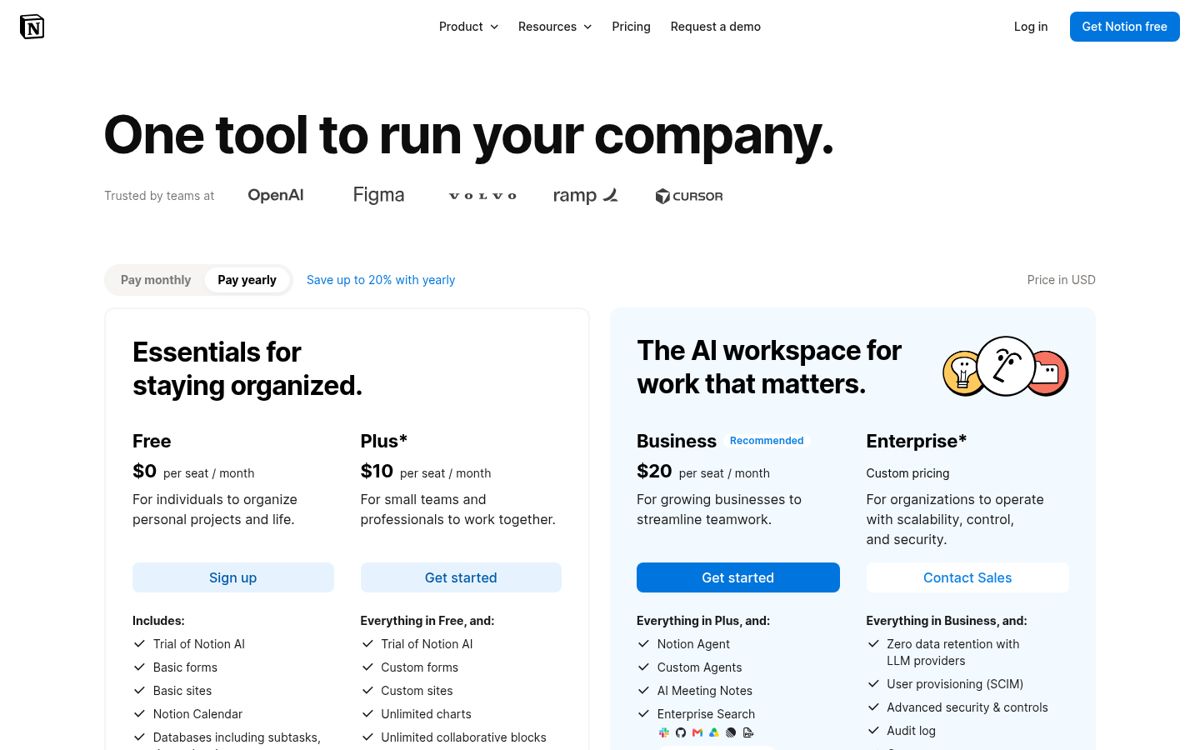
Inside the product
13 screenshots captured 2026-10-23 ~00:03 (UTC+8) inside Notion with a free account. Reference captures for design research only: Notion’s UI, content and marks belong to their owner. Not published: the two sign-up screens (they show the account email and a verification code). Blanked: the list of other people’s workspaces on the join screen, the account/workspace name wherever it appears, and the time-zone location. Every image downloads at full resolution; all of them are in the entry’s .zip.
Onboarding flow
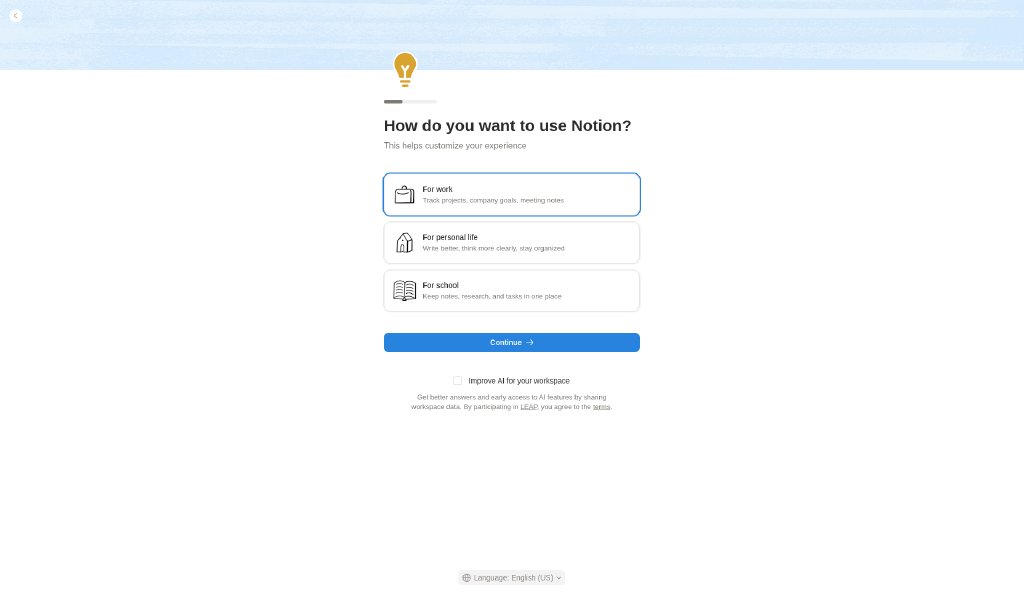
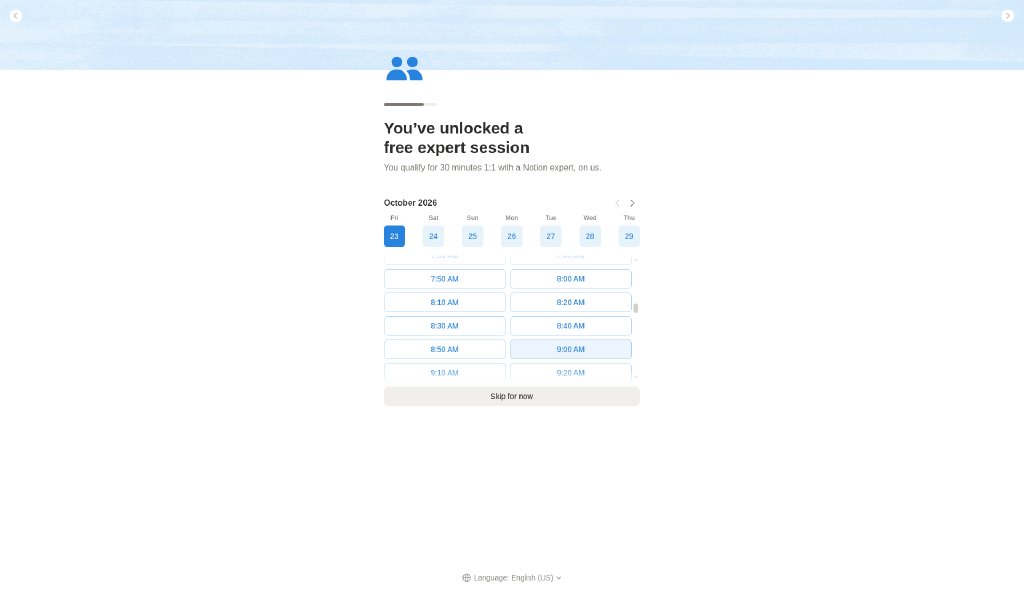
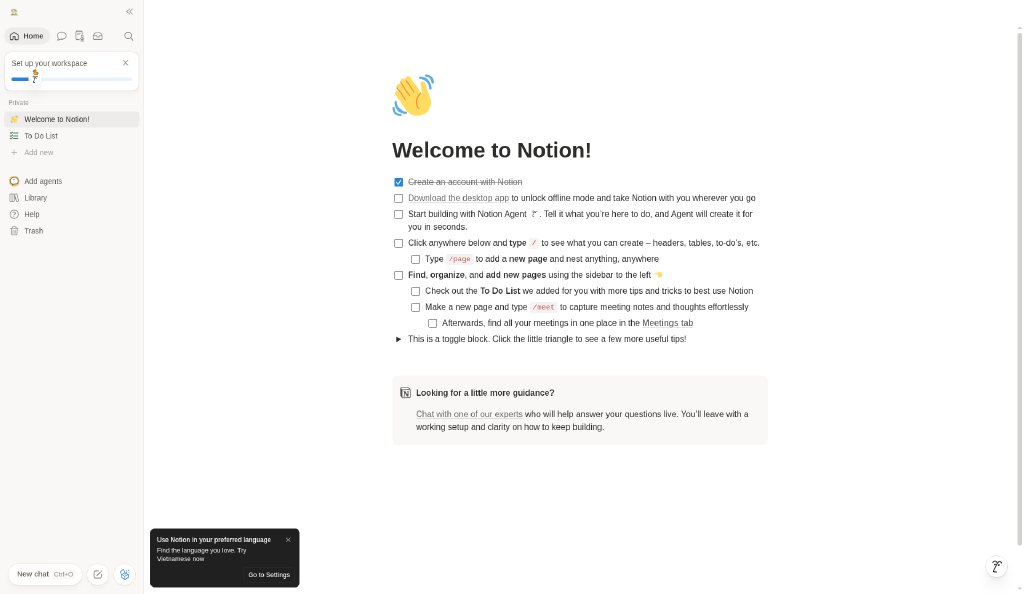
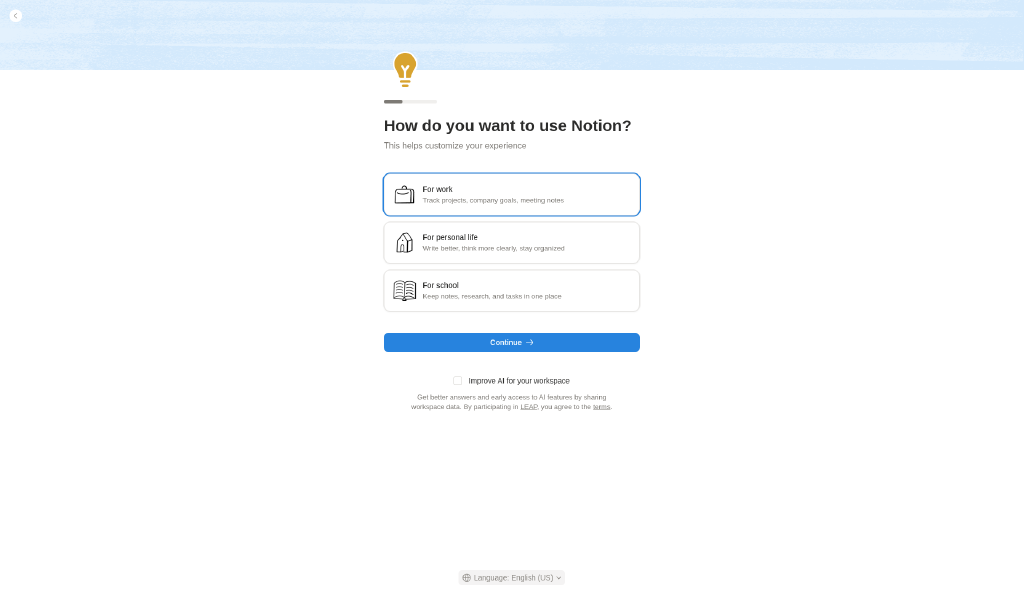
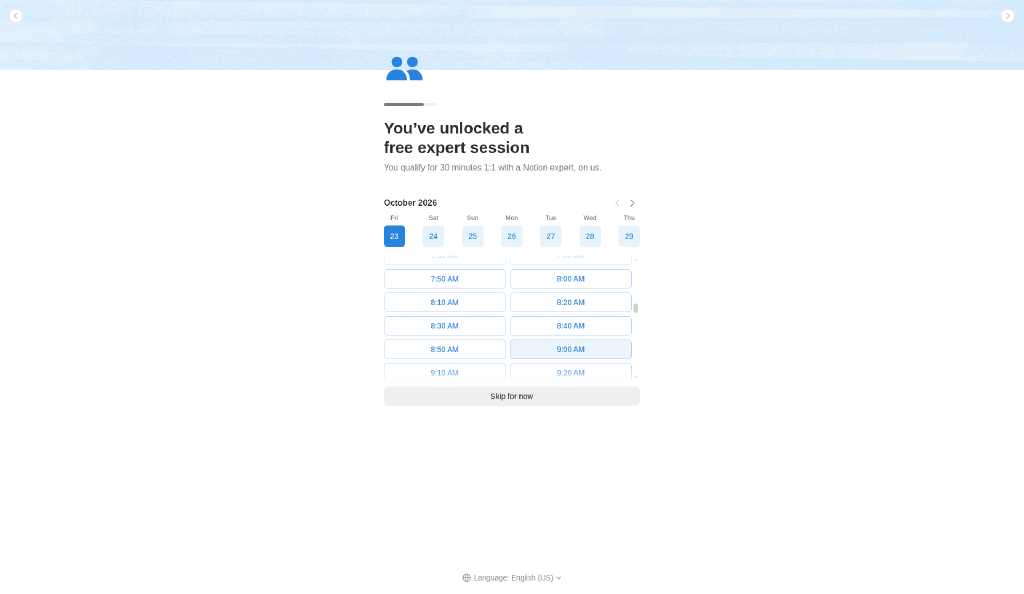
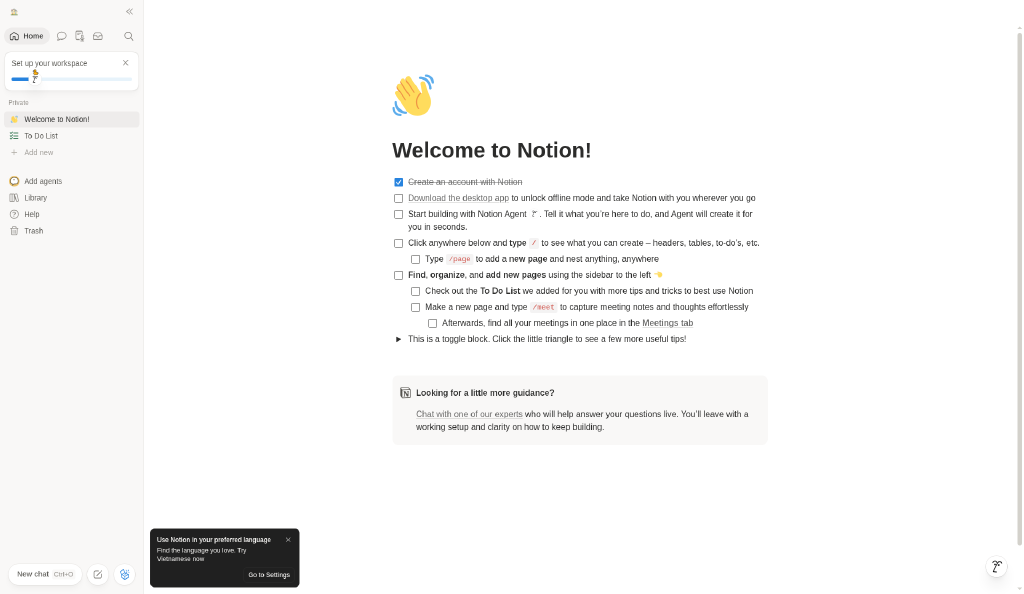
After email sign-up (not shown, for privacy): join or create a workspace, pick a use case, an optional expert-session offer (Skip for now), then the Welcome page. Note: the desktop-app prompt capture was a duplicate of the expert-session screen, so it isn’t shown. Also listed as its own entry: FL-002 · Notion onboarding flow.
Mermaid source
flowchart LR
  S1["Join or create a workspace"] --> S2
  S2["Use case"] --> S3
  S3["Free expert session offer"] --> S4
  S4["Home · Welcome page"]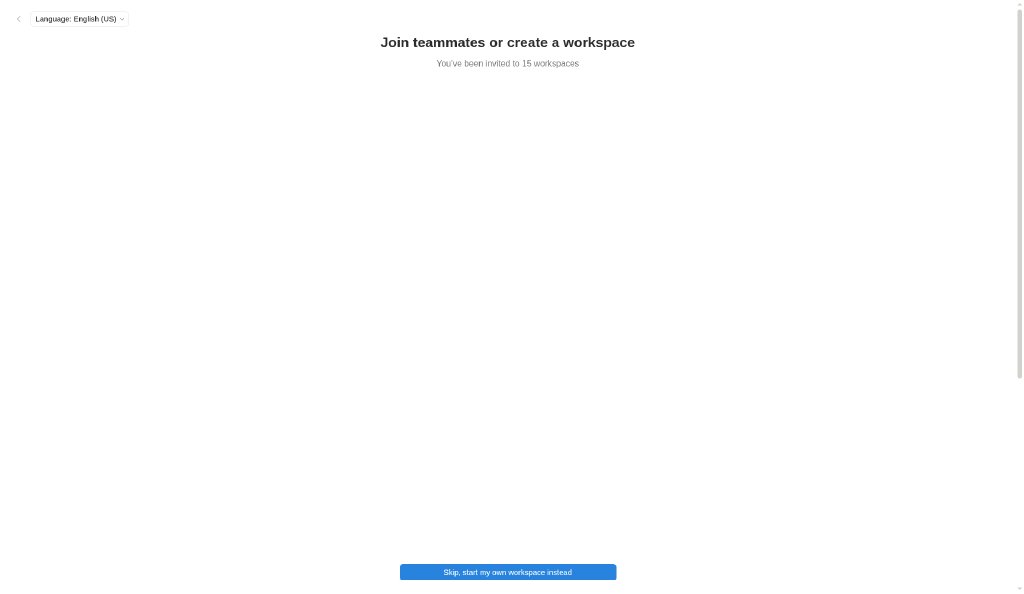
In-app UI analysis
Our observations from these captures.
In-app palette: light
Sampled by us from the light captures (most frequent color inside each named region; text colors from small anti-aliased type, so the true values are likely darker/brighter). Not official Notion tokens.
In-app palette: dark
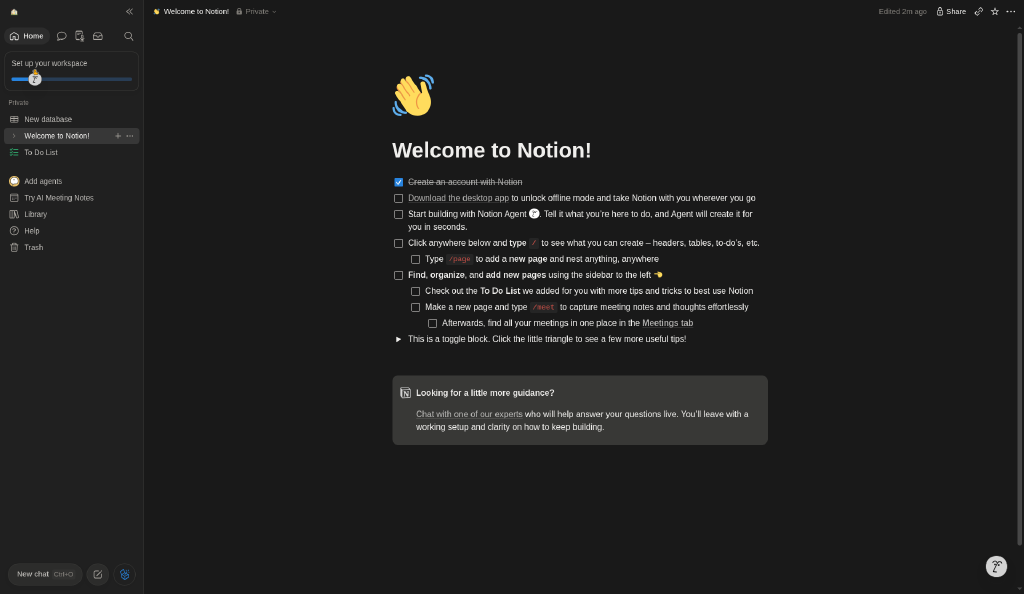
Sampled from the dark-mode captures.
Other screens
Our analysis
Captured notion.com: white page, black-and-white hand-drawn illustrations and a few accent highlights; pricing with plan cards and a comparison table; email-first sign-up.
Similar to this
Ranked by shared color theme, layout, category, type and mood tags.
Downloads
PDF: research notes made for this library; third-party images inside follow the credits in their captions. Screenshots are fair-use reference captures; the sites and their content belong to their owners. License / terms of the source: Screenshots: fair-use reference captures; site content © Notion
DESIGN.md for AI coding agents
Copy this into your repo or agent context. OFFICIAL and ESTIMATED values are labelled.
# DESIGN.md · Notion (WR-004)

> Written for AI coding agents. Values marked **OFFICIAL** come from the documented source named below; values marked **ESTIMATED** were measured by us from our own screenshots and are approximate. Never treat ESTIMATED values as official brand tokens.

## Overview
- Type: Website Reference · Category: I. Website References
- Platforms: Web, macOS, Windows, iOS, Android
- Color theme: Monochrome light · Layout pattern: Split hero · Mood: Friendly, illustrated
- License / terms: Screenshots: fair-use reference captures; site content © Notion

Light, illustrated marketing site; pricing with plan toggle and comparison; sign-up redirects to app.notion.com with an email-first form.

### Analysis (ours)
Captured notion.com: white page, black-and-white hand-drawn illustrations and a few accent highlights; pricing with plan cards and a comparison table; email-first sign-up.

## Color tokens
No official color tokens documented for this entry.

ESTIMATED · dominant colors measured from our screenshot(s) of the source site (median-cut quantization; share = % of pixels). Approximate, not official:

- `#FFFFFF` ~53%
- `#B7B7B7` ~12%
- `#596B7C` ~3%
- `#CCD3D0` ~2%
- `#9FC1D9` ~0%

## Typography
No official type scale documented for this entry; use the product’s own typography guidance.

## Spacing, radii, shadows
Not documented for this entry. Do not invent values; derive from your own design system.

## Components
- Top nav
- Illustrated hero
- Plan cards
- Comparison table
- Email sign-up form

## In-app tokens (ESTIMATED)
ESTIMATED · sampled by us from logged-in screenshots of the product (free account, 2026-10-23 ~00:03 (UTC+8)). Most frequent color inside each named UI region; approximate, not official Notion tokens.

### Light
- `#F9F8F7` Sidebar background
- `#FFFFFF` Page canvas
- `#EEECEB` Active sidebar item
- `#F9F8F7` Callout block background
- `#2C2C2B` Primary text (darkest pixel of page title)
- `#2783DE` Primary button blue (onboarding Continue)
- `#2783DE` Toggle on (settings)
- `#6F6F6F` Modal scrim over canvas

### Dark
- `#202020` Sidebar background
- `#191919` Page canvas
- `#373737` Active sidebar item
- `#383836` Callout block background
- `#F0EFED` Primary text (brightest pixel of page title)
- `#2783DE` Checkbox checked blue

### In-app patterns (observed)
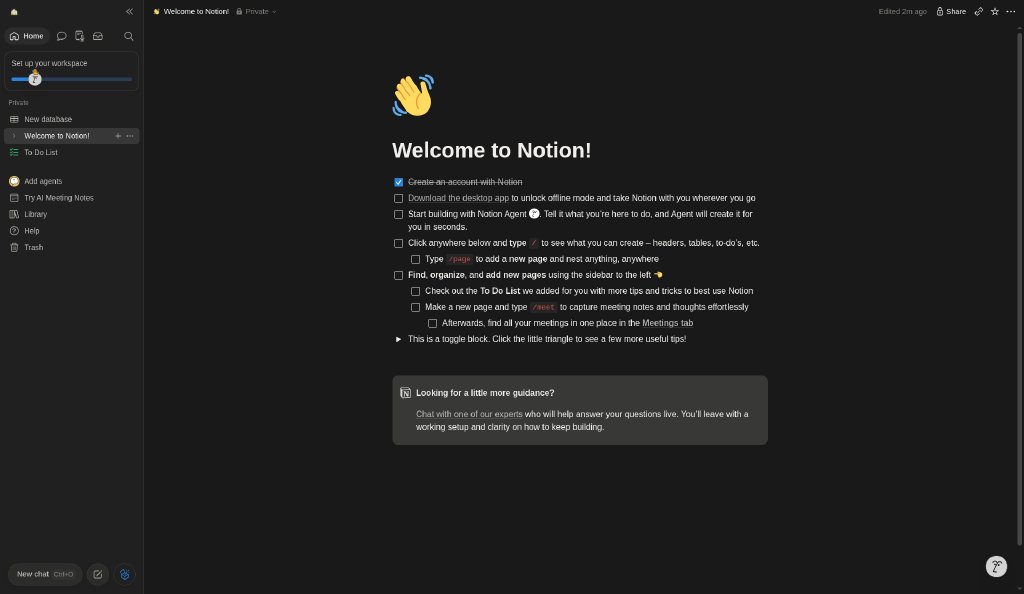
- **Sidebar:** Warm off-white (#F9F8F7-ish) column with the workspace switcher on top, an icon row (Home, chat, Inbox, search), a dismissible “Set up your workspace” progress card, then Private pages with emoji icons, agents, Library, Help and Trash; New chat sits at the bottom. Active page = soft gray pill.
- **Block editor:** Pages are a centered, comfortable-width column with a large emoji icon, a big bold title and blocks underneath (to-dos, toggles, callouts, inline code). Every line is a block; the Welcome page teaches the model with a checklist.
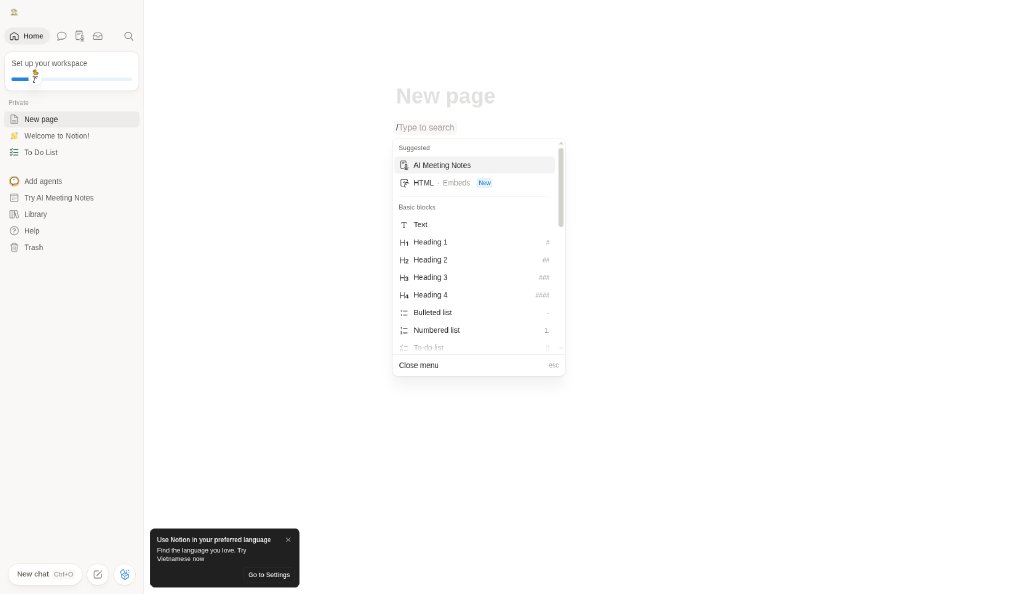
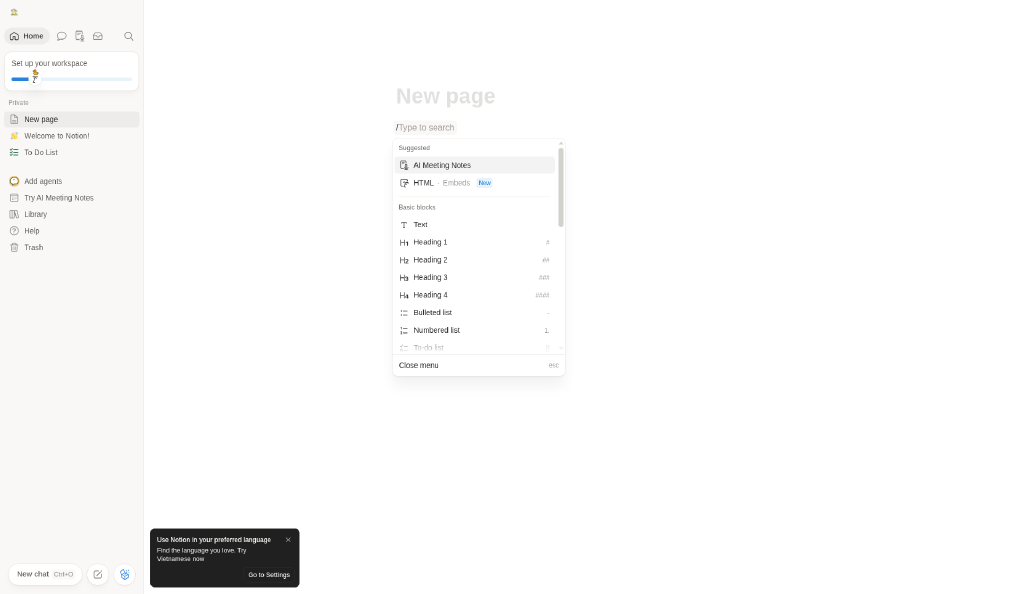
- **Slash menu:** “/” on an empty block opens an inline, keyboard-first menu anchored to the caret: grouped sections (Suggested, Basic blocks), icon + name rows, Markdown shortcuts on the right (#, ##, -, 1.), and an esc hint.
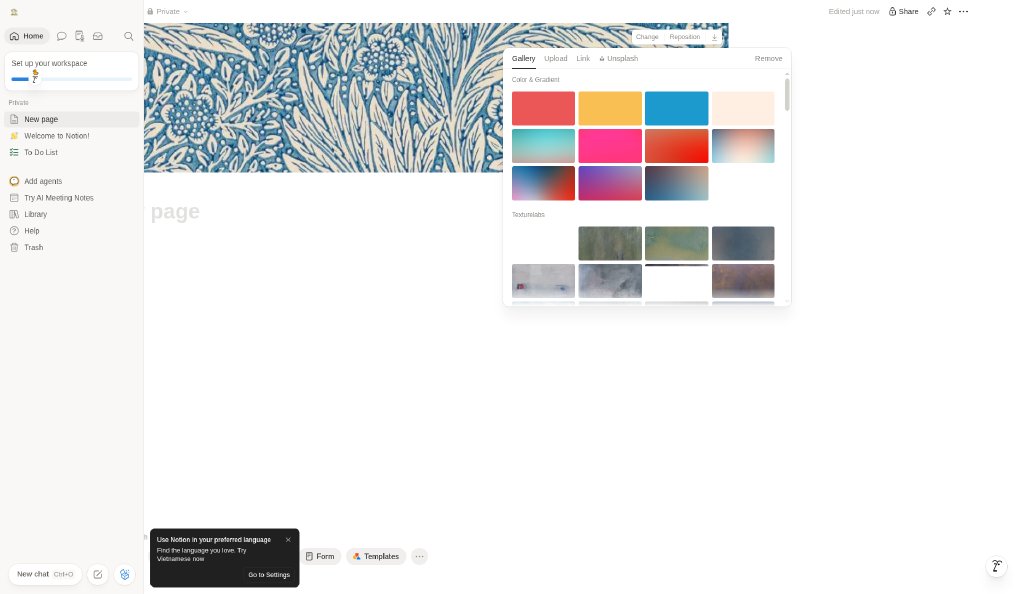
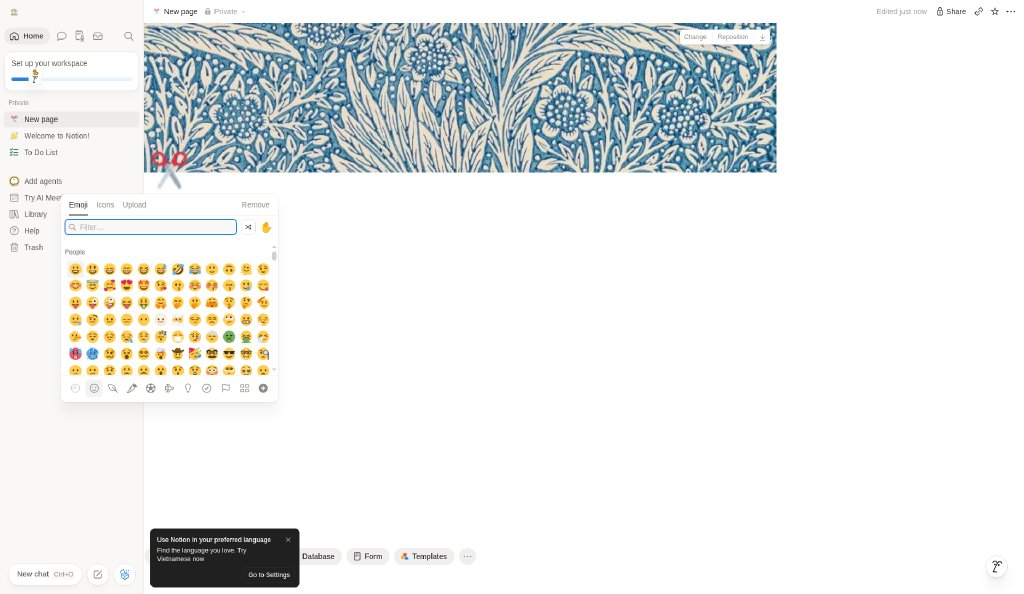
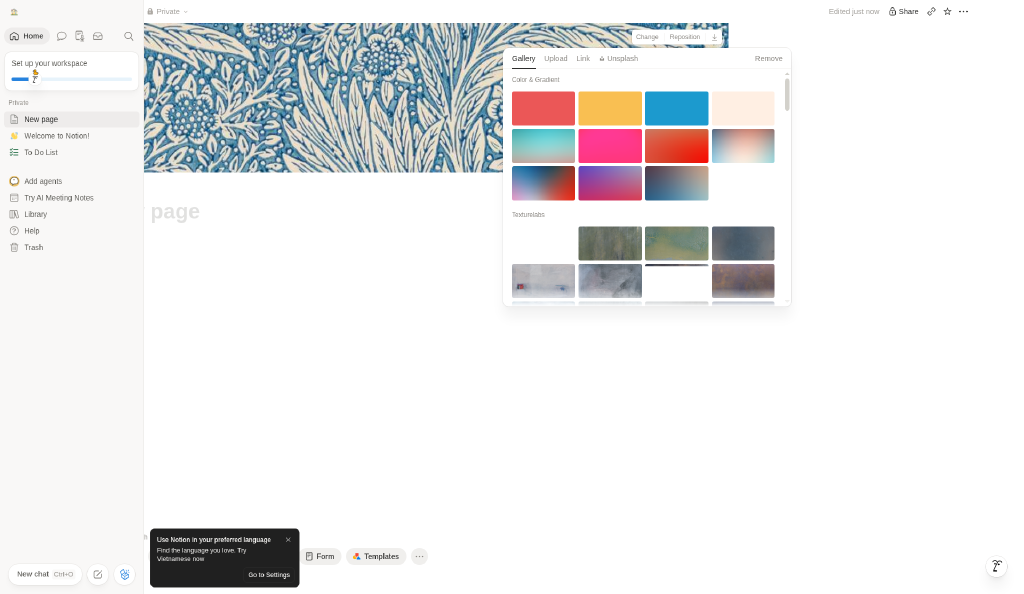
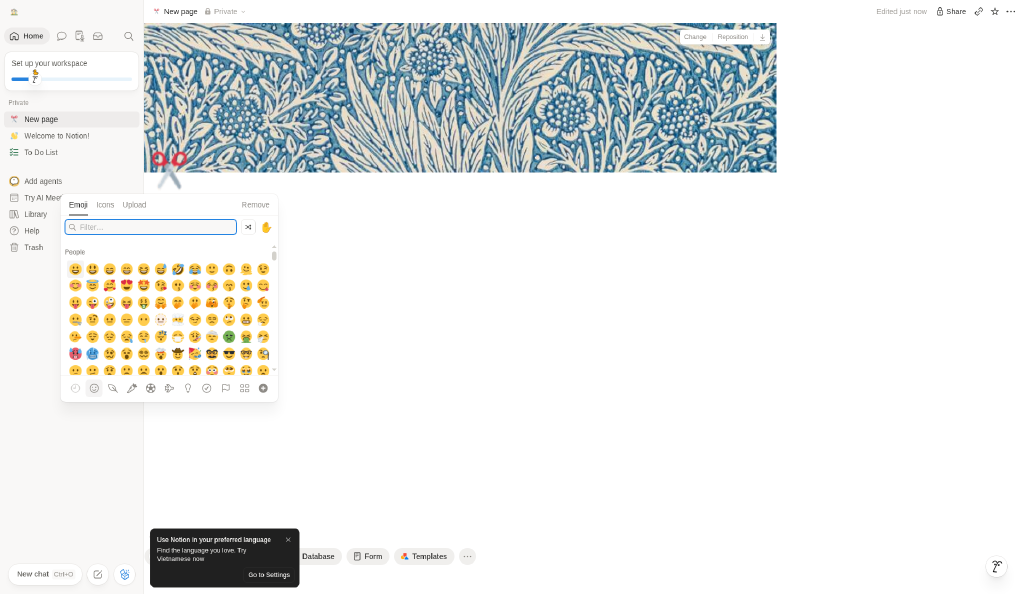
- **Cover and icon pickers:** Both are anchored popovers with tabs (Gallery/Upload/Link/Unsplash; Emoji/Icons/Upload). Covers offer flat colors, gradients and textures; the emoji grid is dense, with filter, random and skin-tone controls.
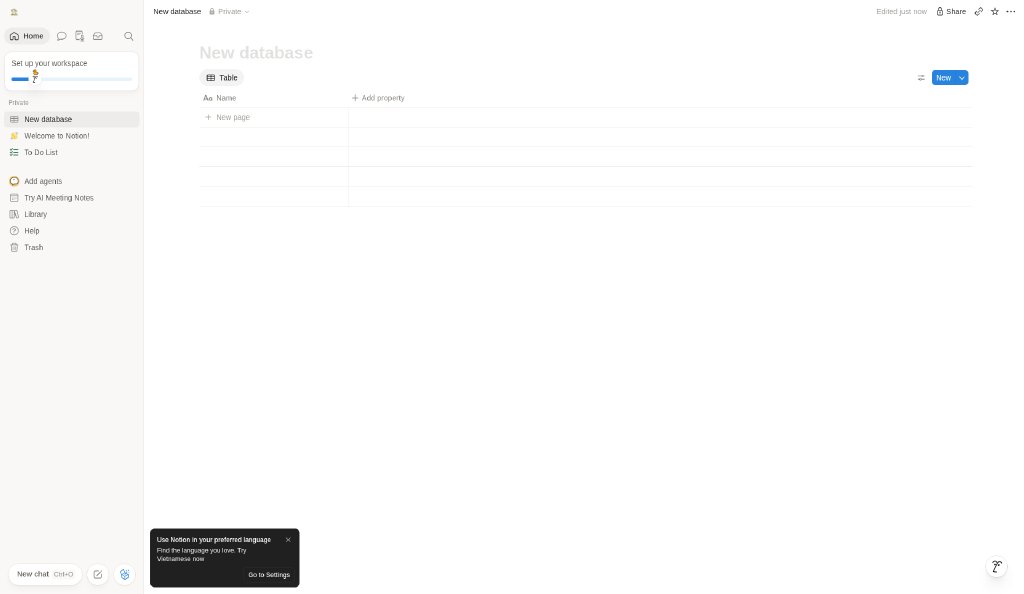
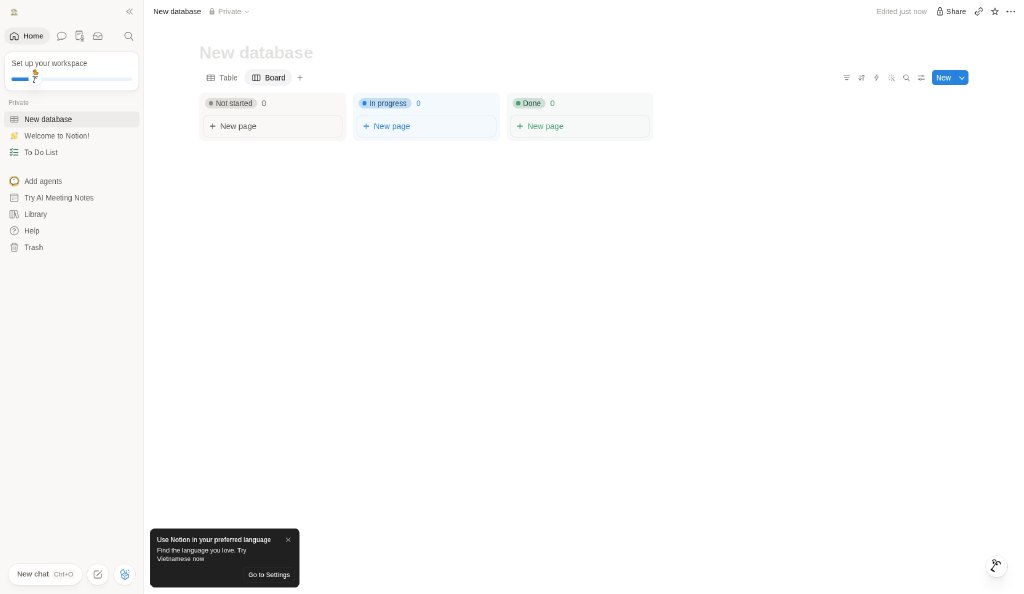
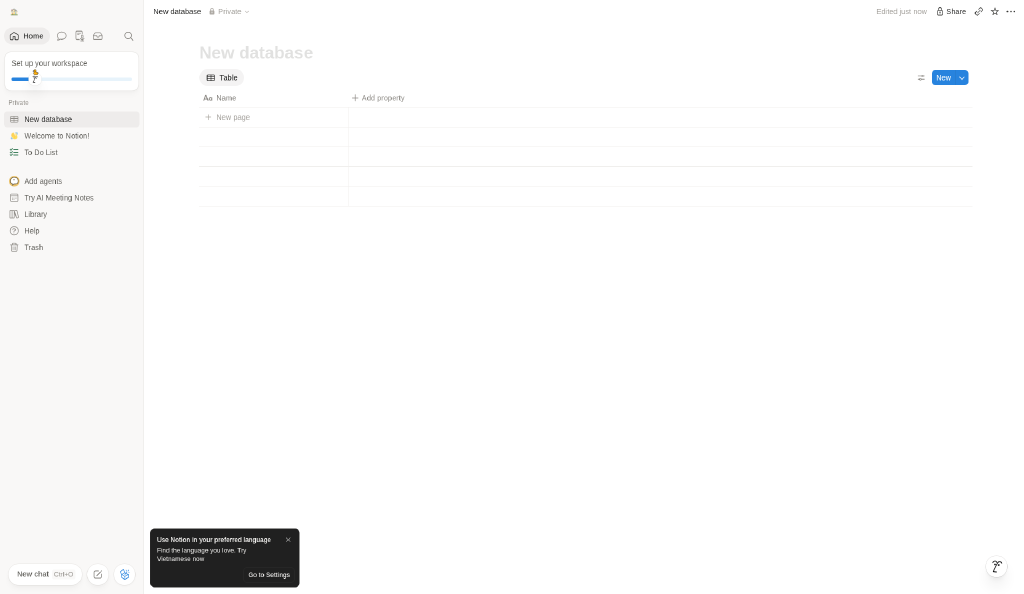
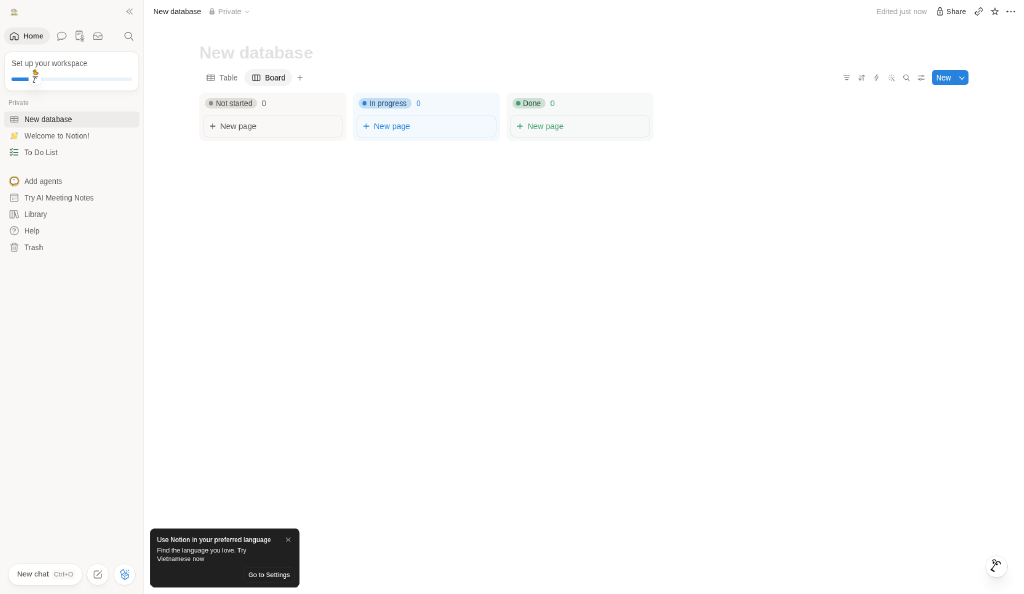
- **Database views:** One database, multiple views as tabs: Table (spreadsheet rows, “+ Add property”) and Board (status columns tinted gray/blue/green with matching pills). Toolbar icons (filter, sort, automations, search, settings) and a blue New split button sit on the right.
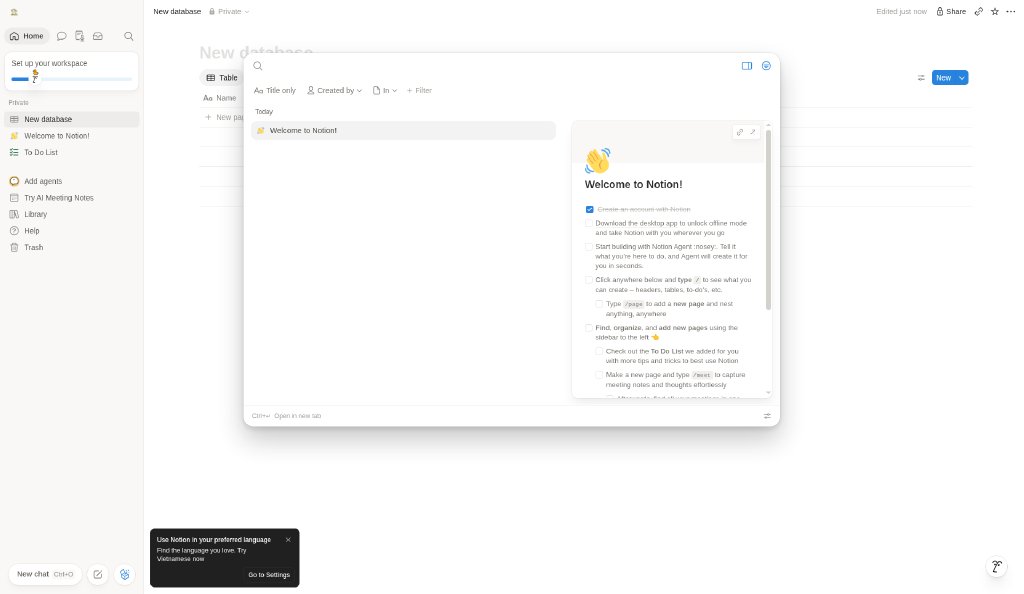
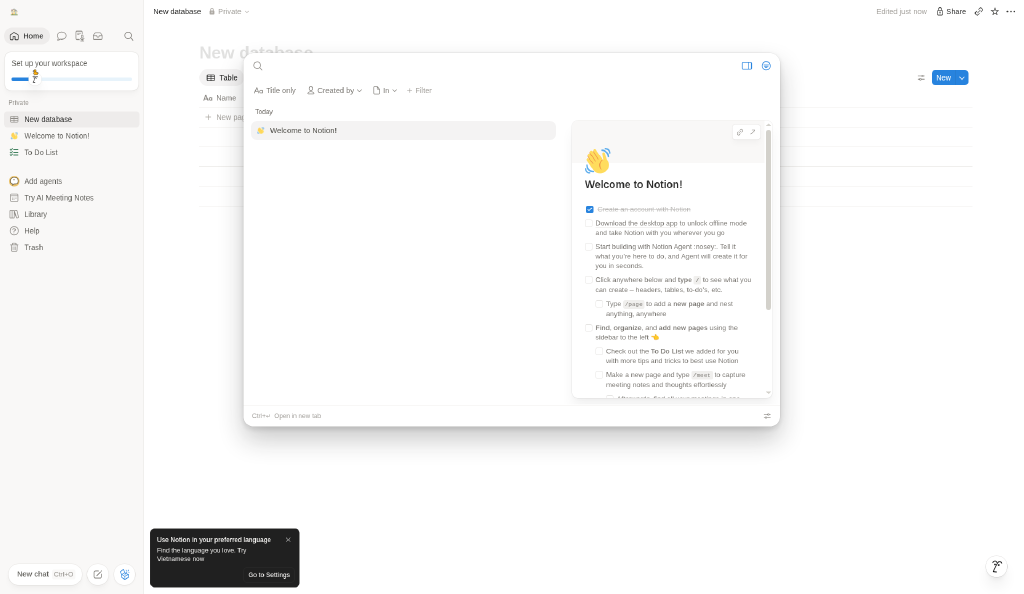
- **Quick find:** Search is a large centered modal with filters as chips and a split result/preview layout, so you can check a page before opening it; Ctrl+Enter opens in a new tab.
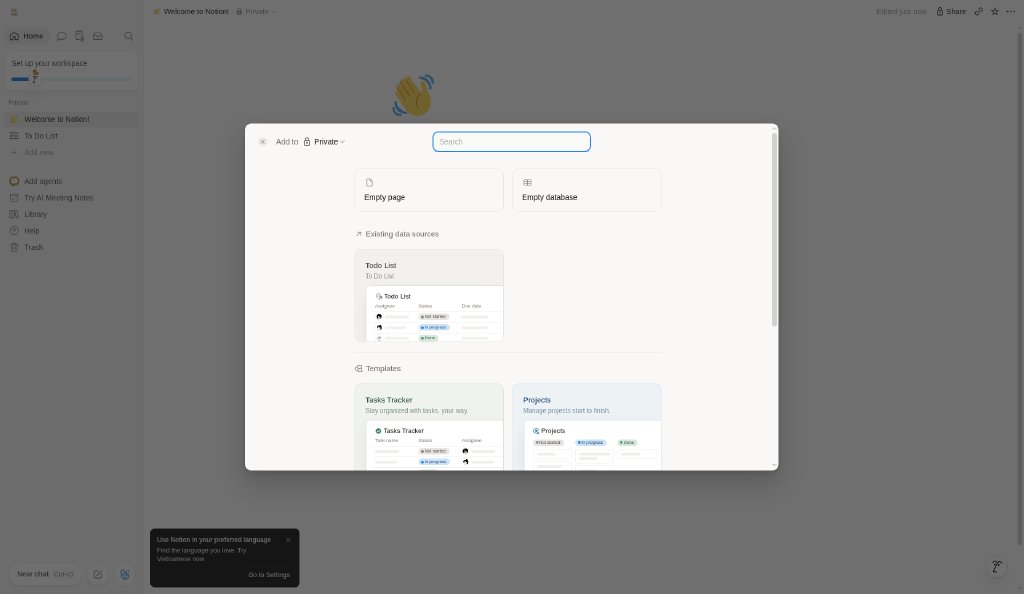
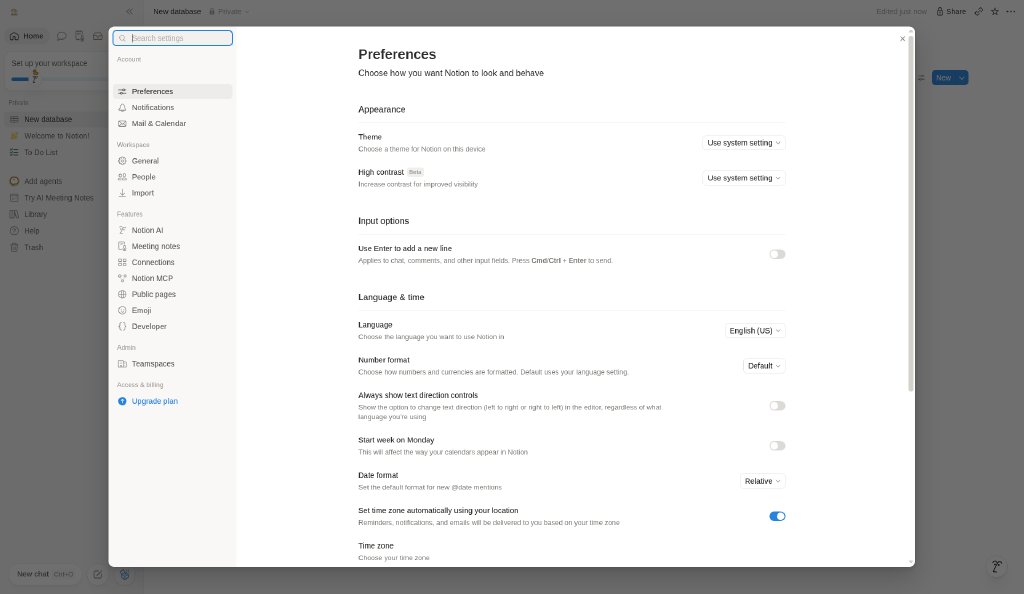
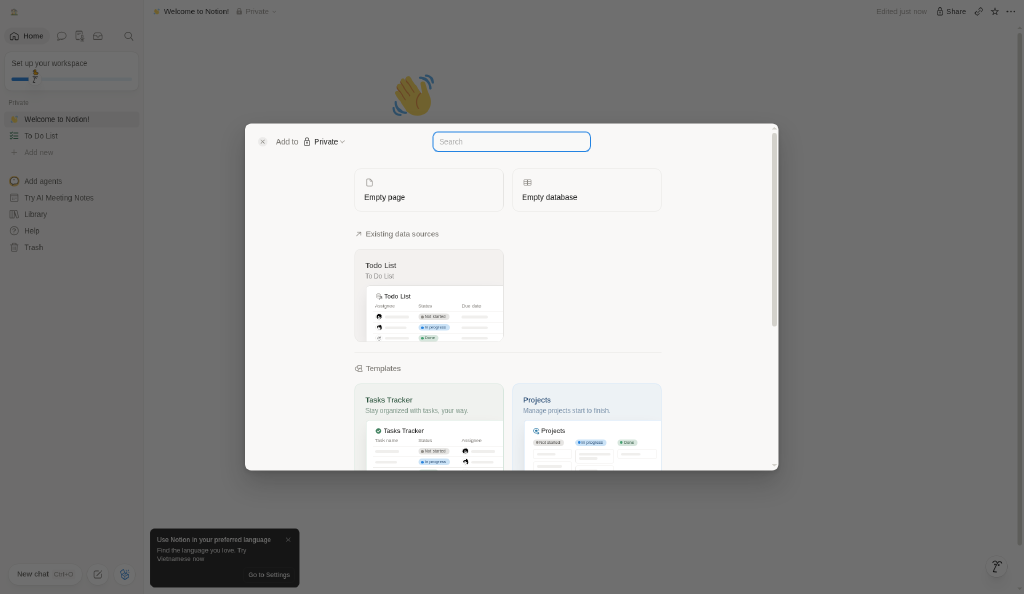
- **Modal pattern:** Big modals (Add new, Search, Settings) dim the workspace with a gray scrim and use white rounded panels with their own internal navigation.
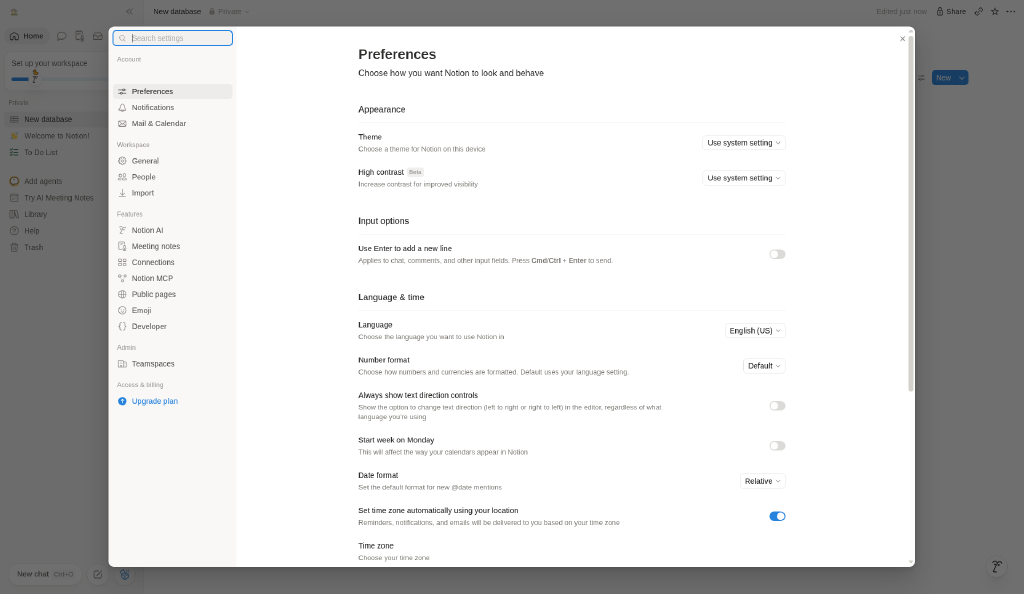
- **Theme system:** Settings → Preferences → Appearance: Theme (Use system setting / Light / Dark) and a separate High contrast option (Beta). Dark keeps the same layout and swaps surfaces to near-black grays; blue stays the accent.
- **Density:** Comfortable: generous page margins and 14–16px text in the editor, compact 26-28px sidebar rows; color is used sparingly (blue actions, tinted status pills).

## Layout rules
- Observed layout pattern: **Split hero** (from our captures).
- Public flow (captured, stopped before any form submission): Landing (https://www.notion.com/) → Pricing (https://www.notion.com/pricing) → Sign-up entry (https://app.notion.com/signup)

## Do’s and don’ts
- Do: Keep chrome neutral and let content (images, icons, type) carry color.
- Don’t: Don’t introduce decorative color that competes with content.
- Do: follow the source’s license/terms listed above.
- Don’t: present ESTIMATED colors as official tokens.

## Sources
- https://www.notion.com
- Capture: https://www.notion.com/
- Capture: https://www.notion.com/pricing
- Capture: https://app.notion.com/signup
- Library entry: https://design-library-byt.pages.dev/entry/WR-004