Pixel-art fundamentals & dithering
Our own one-page primer on the rules that make pixel art read well in UI (integer scaling, clean lines, limited palettes, dithering), linked to the best free tutorial series to learn more.
Summary
Our own one-page primer on the rules that make pixel art read well in UI (integer scaling, clean lines, limited palettes, dithering), linked to the best free tutorial series to learn more.
What it is
Our own primer on a visual style, with links to the best free tutorials.
Who it’s for
Making pixel art and pixel UI look crisp and intentional.
Key takeaways
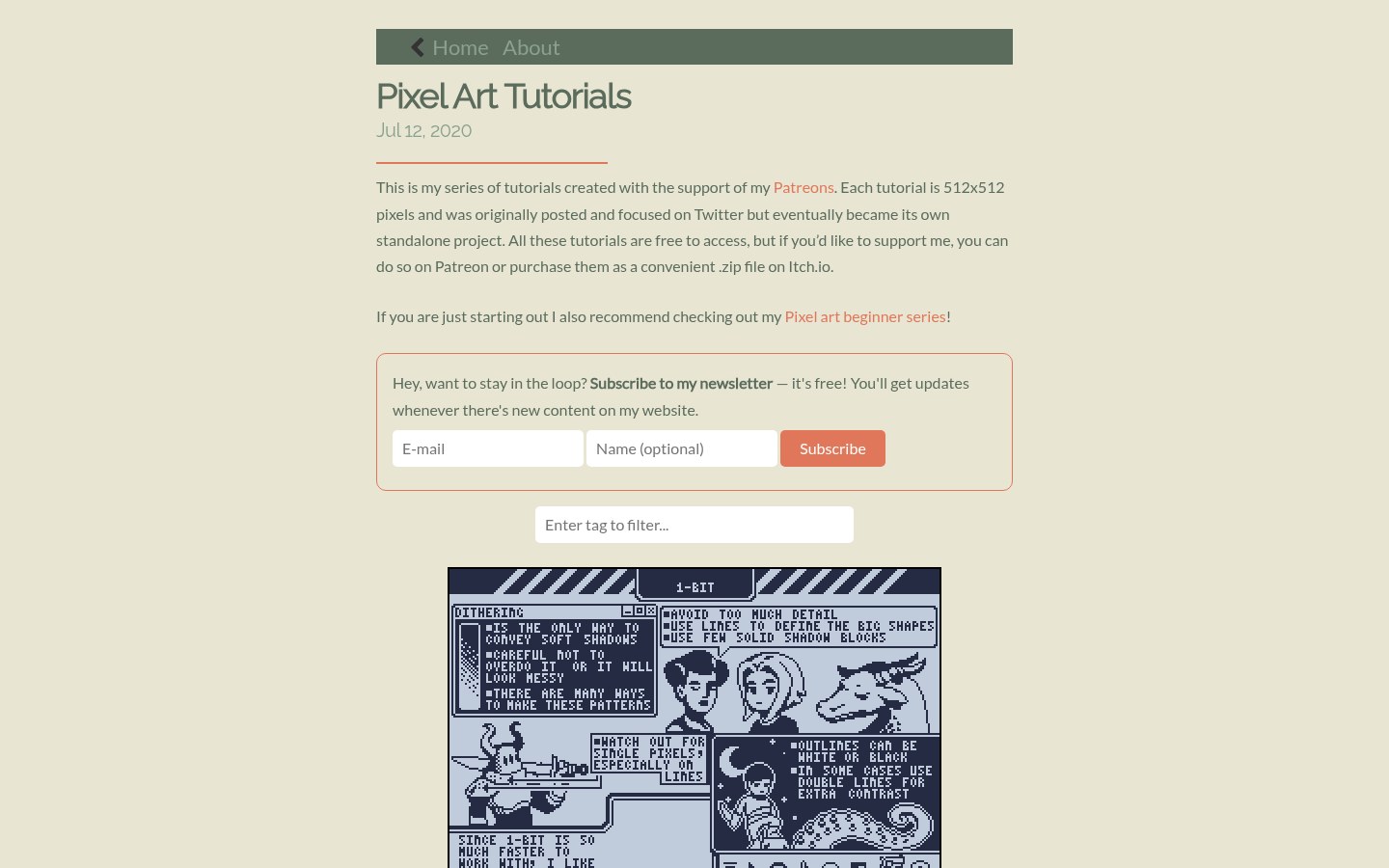
- Our capture of Saint11’s tutorial index: a simple cream blog column with a grid of 512×512 animated tutorials.
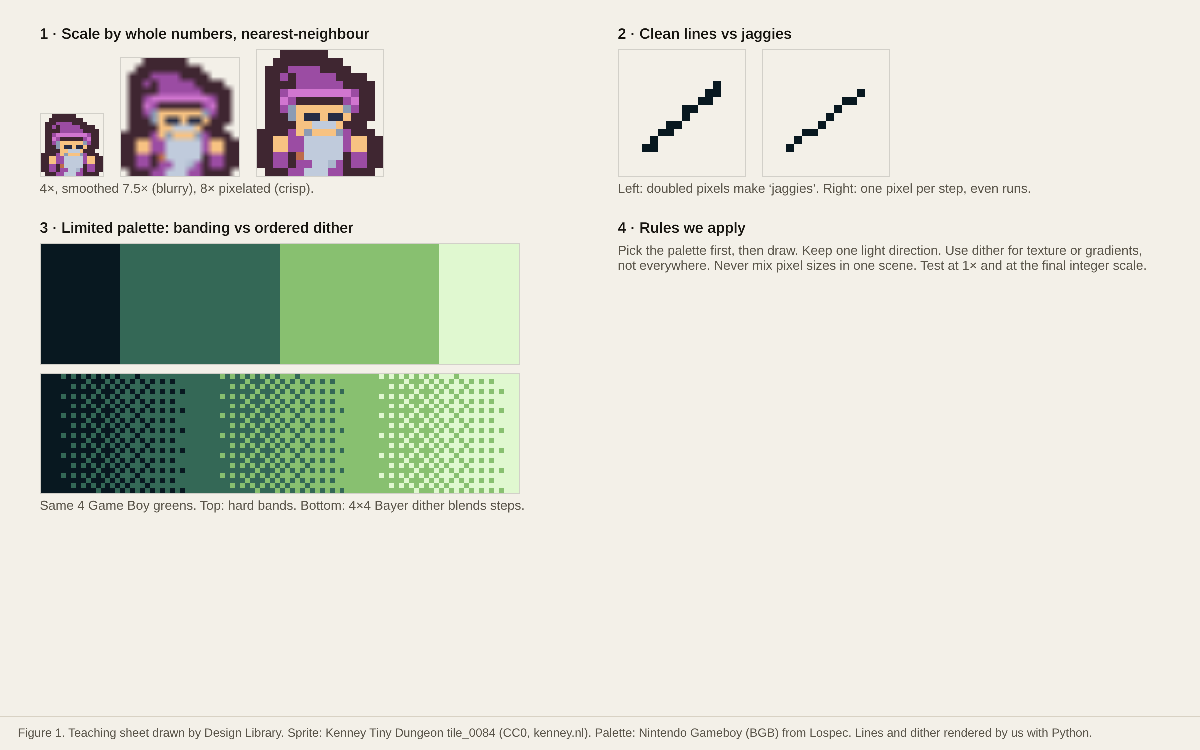
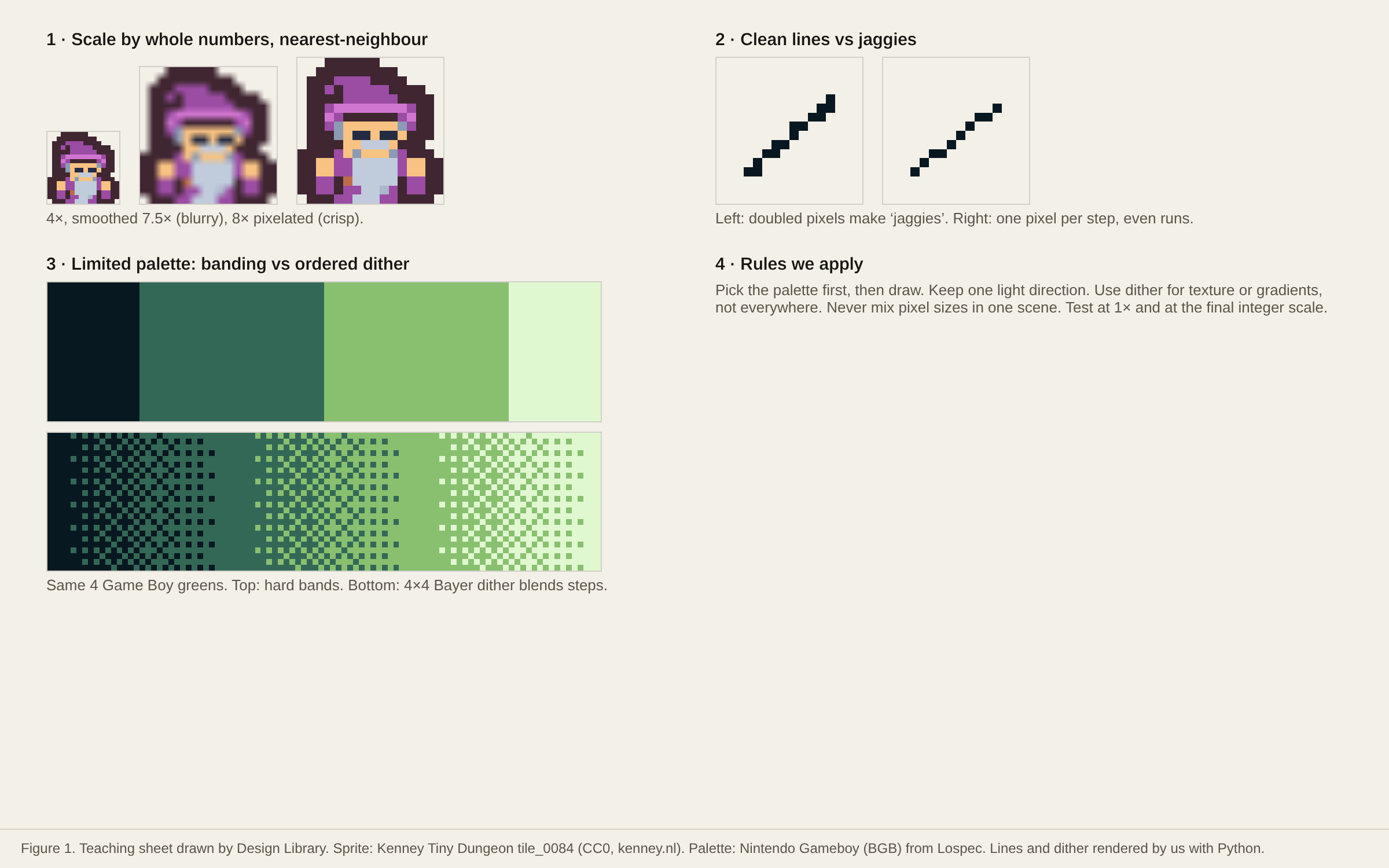
- Our own teaching sheet condenses the core rules shown across such series: whole-number scaling with nearest-neighbour, one-pixel lines without doubles, a fixed palette and dithering used on purpose.
- Strength: these rules fix most ‘why does my pixel UI look blurry/messy’ problems.
- Risk: rules are guides; style breaks them deliberately once learned.
Best practices to borrow
- Scale pixel art only by whole numbers with nearest-neighbour (image-rendering:pixelated) (OURS, figure panel 1).
- Draw lines in even steps without doubled corner pixels (‘jaggies’) (OURS, panel 2).
- Use dithering to suggest gradients or texture inside a small palette, not as noise everywhere (OURS, panel 3).
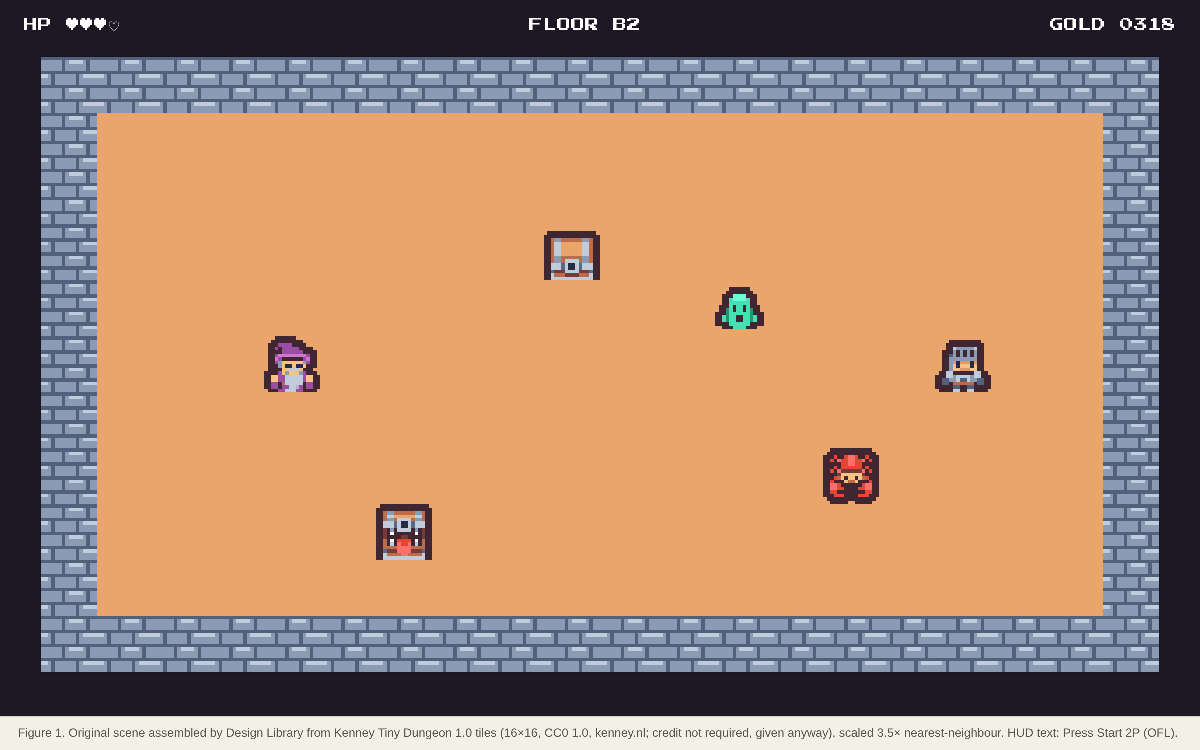
- Never mix pixel sizes in one scene: a 2× sprite next to a 3× one looks broken (OURS).
- Use off-white or cream surfaces with warm grays and sparse accents.
- Lead with type: large headings, generous measure and quiet chrome.
- Scale by whole numbers with nearest-neighbour and never mix pixel sizes in one scene.
Deep dive
A structured read of each source’s official README, licence file, package metadata or about page, fetched on 2026-10-24 (UTC+8). OFFICIAL = stated on the cited page or file; ESTIMATED = measured by us (CSS sizes, class and colour counts, contrast); OURS = our interpretation, not legal advice.
Core rules (our sheet)
OURS- Integer scaling only, nearest-neighbour; one-pixel lines without doubles; pick a palette first; dither on purpose; one light direction; never mix pixel sizes.
Where to learn more
OFFICIAL- Saint11 (Pedro Medeiros): a tutorial series supported by Patreon backers; ‘Each tutorial is 512x512 pixels’; ‘All these tutorials are free to access’.
- Lospec’s tutorial directory collects tutorials by topic (https://lospec.com/pixel-art-tutorials).
CSS for crisp pixels
OURS- img,canvas{image-rendering:pixelated}; size canvases at native resolution and enlarge with CSS by whole numbers.
Source: developer.mozilla.org/en-US/docs/Web/CSS/image-rendering
Palette preview
Quick links
Usage terms at a glance
Our plain-language summary of the license recorded above, as of 2026-10-24. Not legal advice: always read the source’s own terms before shipping.
- Commercial use
- Rules: yes
- Attribution
- Credit and link the tutorial authors
- Redistribution
- Don’t republish the tutorial images
- How you get it
- Free web pages
How to use
CSS: img,canvas{image-rendering:pixelated}  /* never smooth pixel art */
Scale by 2×, 3×, 4×… only; set canvas width/height to the native size and enlarge with CSS.
Reference capture
What the source looked like when we analysed it. A fair-use page capture taken by this library; the site, its artwork and marks belong to their owner, and no asset files are redistributed here.
Figures
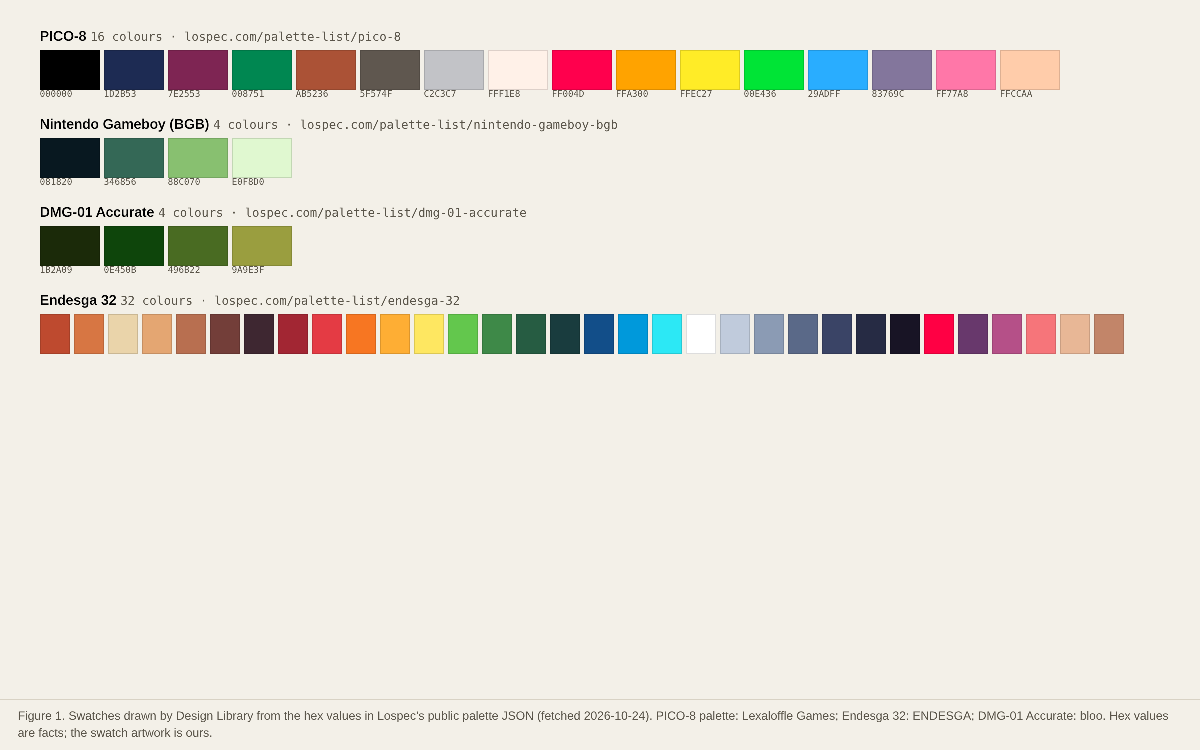
Original figures made by Design Library from open-licensed files (MIT, OFL, CC0) or public palette values; each caption names the files and licences.
Dominant palette from our captures
Measured by us from our screenshot(s) of https://saint11.art/blog/pixel-art-tutorials/ (median-cut quantization; share = % of pixels). Approximate and not official.
Layout pattern: Editorial
Observed by us on the captured page(s). See all entries by layout.
How to apply it: Lead with type: large headings, generous measure and quiet chrome.
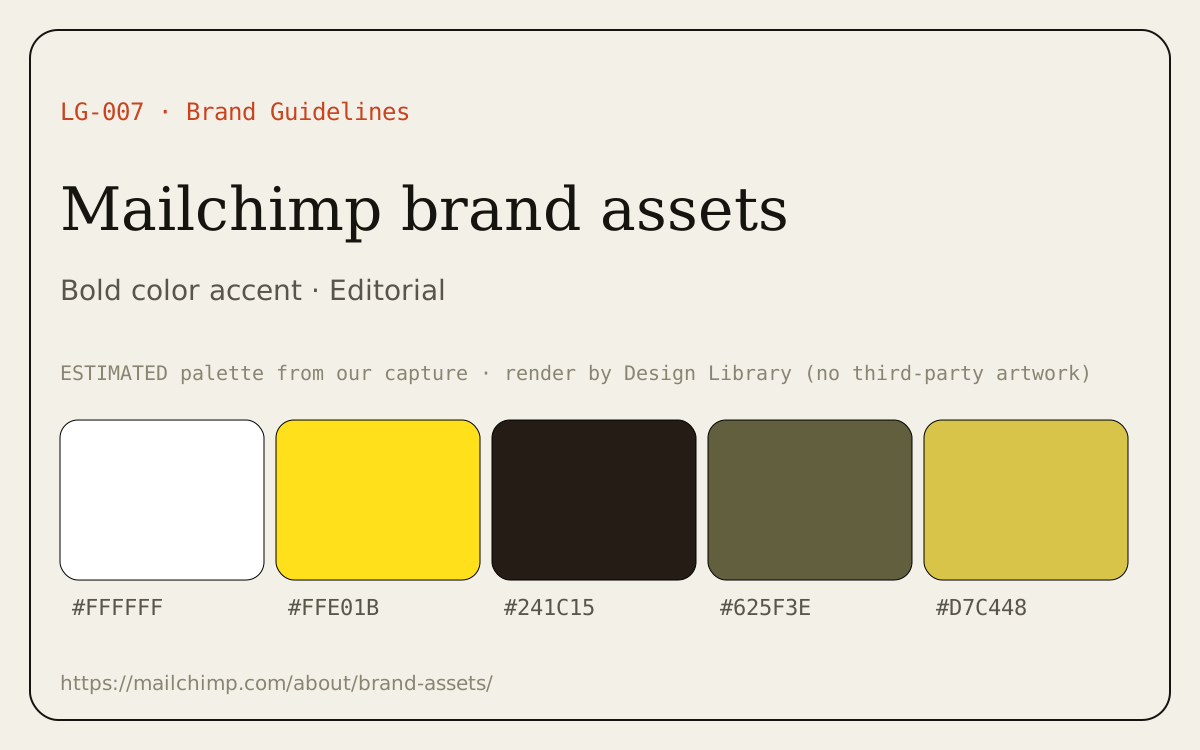
Other entries with this layout: Mailchimp brand assets, Logo types & design principles.
Components
Observed on the captured pages.
- Tutorial grid
- Before/after comparisons
- Palette ramps
- Dither patterns
Our analysis
Our capture of Saint11’s tutorial index: a simple cream blog column with a grid of 512×512 animated tutorials. Our own teaching sheet condenses the core rules shown across such series: whole-number scaling with nearest-neighbour, one-pixel lines without doubles, a fixed palette and dithering used on purpose. Strength: these rules fix most ‘why does my pixel UI look blurry/messy’ problems. Risk: rules are guides; style breaks them deliberately once learned.
Similar to this
Ranked by shared color theme, layout, category, type and mood tags.
Downloads
PDF: research notes made for this library; third-party images inside follow the credits in their captions. License / terms of the source: Our teaching sheet: made by Design Library (sprite from Kenney Tiny Dungeon, CC0). Linked tutorials © their authors (Saint11 / Pedro Medeiros; Lospec): link only
DESIGN.md for AI coding agents
Copy this into your repo or agent context. OFFICIAL and ESTIMATED values are labelled.
# DESIGN.md · Pixel-art fundamentals & dithering (GP-010)

> Written for AI coding agents. Values marked **OFFICIAL** come from the documented source named below; values marked **ESTIMATED** were measured by us from our own screenshots and are approximate. Never treat ESTIMATED values as official brand tokens.

## Overview
- Type: Art-style Guide · Category: K. Gaming and Pixel Art
- Platforms: Web
- Color theme: Warm neutral · Layout pattern: Editorial · Mood: Instructional, craft
- License / terms: Our teaching sheet: made by Design Library (sprite from Kenney Tiny Dungeon, CC0). Linked tutorials © their authors (Saint11 / Pedro Medeiros; Lospec): link only

Our own one-page primer on the rules that make pixel art read well in UI (integer scaling, clean lines, limited palettes, dithering), linked to the best free tutorial series to learn more.

### Analysis (ours)
Our capture of Saint11’s tutorial index: a simple cream blog column with a grid of 512×512 animated tutorials. Our own teaching sheet condenses the core rules shown across such series: whole-number scaling with nearest-neighbour, one-pixel lines without doubles, a fixed palette and dithering used on purpose. Strength: these rules fix most ‘why does my pixel UI look blurry/messy’ problems. Risk: rules are guides; style breaks them deliberately once learned.

### Best practices (ours)
- Scale pixel art only by whole numbers with nearest-neighbour (image-rendering:pixelated) (OURS, figure panel 1).
- Draw lines in even steps without doubled corner pixels (‘jaggies’) (OURS, panel 2).
- Use dithering to suggest gradients or texture inside a small palette, not as noise everywhere (OURS, panel 3).
- Never mix pixel sizes in one scene: a 2× sprite next to a 3× one looks broken (OURS).

### Deep analysis
Values marked OFFICIAL come from the cited official page, README, licence file or package metadata, fetched 2026-10-24 (UTC+8). ESTIMATED values were measured by us that day (CSS file sizes from unpkg, class and colour counts, contrast ratios). OURS is our interpretation, not legal advice.

#### Core rules (our sheet) (OURS) · source: https://saint11.art/blog/pixel-art-tutorials/
- Integer scaling only, nearest-neighbour; one-pixel lines without doubles; pick a palette first; dither on purpose; one light direction; never mix pixel sizes.

#### Where to learn more (OFFICIAL) · source: https://saint11.art/blog/pixel-art-tutorials/
- Saint11 (Pedro Medeiros): a tutorial series supported by Patreon backers; ‘Each tutorial is 512x512 pixels’; ‘All these tutorials are free to access’.
- Lospec’s tutorial directory collects tutorials by topic (https://lospec.com/pixel-art-tutorials).

#### CSS for crisp pixels (OURS) · source: https://developer.mozilla.org/en-US/docs/Web/CSS/image-rendering
- img,canvas{image-rendering:pixelated}; size canvases at native resolution and enlarge with CSS by whole numbers.

### Usage terms at a glance (our summary, not legal advice)
- Commercial use: Rules: yes
- Attribution: Credit and link the tutorial authors
- Redistribution: Don’t republish the tutorial images
- How you get it: Free web pages

## Color tokens
No official color tokens documented for this entry.

ESTIMATED · dominant colors measured from our screenshot(s) of the source site (median-cut quantization; share = % of pixels). Approximate, not official:

- `#E8E5D2` ~69%
- `#3A4254` ~5%
- `#7D8289` ~5%
- `#B9BCB7` ~4%
- `#C5CFD8` ~3%

## Typography
No official type scale documented for this entry; use the product’s own typography guidance.

## Spacing, radii, shadows
Not documented for this entry. Do not invent values; derive from your own design system.

## Components
- Tutorial grid
- Before/after comparisons
- Palette ramps
- Dither patterns

## Layout rules
- Observed layout pattern: **Editorial** (from our captures).

## Usage
```
CSS: img,canvas{image-rendering:pixelated}  /* never smooth pixel art */
Scale by 2×, 3×, 4×… only; set canvas width/height to the native size and enlarge with CSS.
```

## Do’s and don’ts
- Do: Use off-white/cream surfaces and warm grays; keep accents sparse.
- Don’t: Don’t switch to cold pure-white/blue-gray surfaces.
- Do: follow the source’s license/terms listed above.
- Don’t: present ESTIMATED colors as official tokens.

## Sources
- https://saint11.art/blog/pixel-art-tutorials/
- Library entry: https://design-library-byt.pages.dev/entry/GP-010