Game UI Database
Searchable library of game-UI screenshots and videos, filterable by genre, platform, UI style (including Pixel), element (radial menu, tooltip…), colour, texture and screen type, plus hex-code search.
Summary
Searchable library of game-UI screenshots and videos, filterable by genre, platform, UI style (including Pixel), element (radial menu, tooltip…), colour, texture and screen type, plus hex-code search.
What it is
A searchable gallery of real game interface screenshots for study.
Who it’s for
Game and product designers looking for proven menu and HUD patterns.
Key takeaways
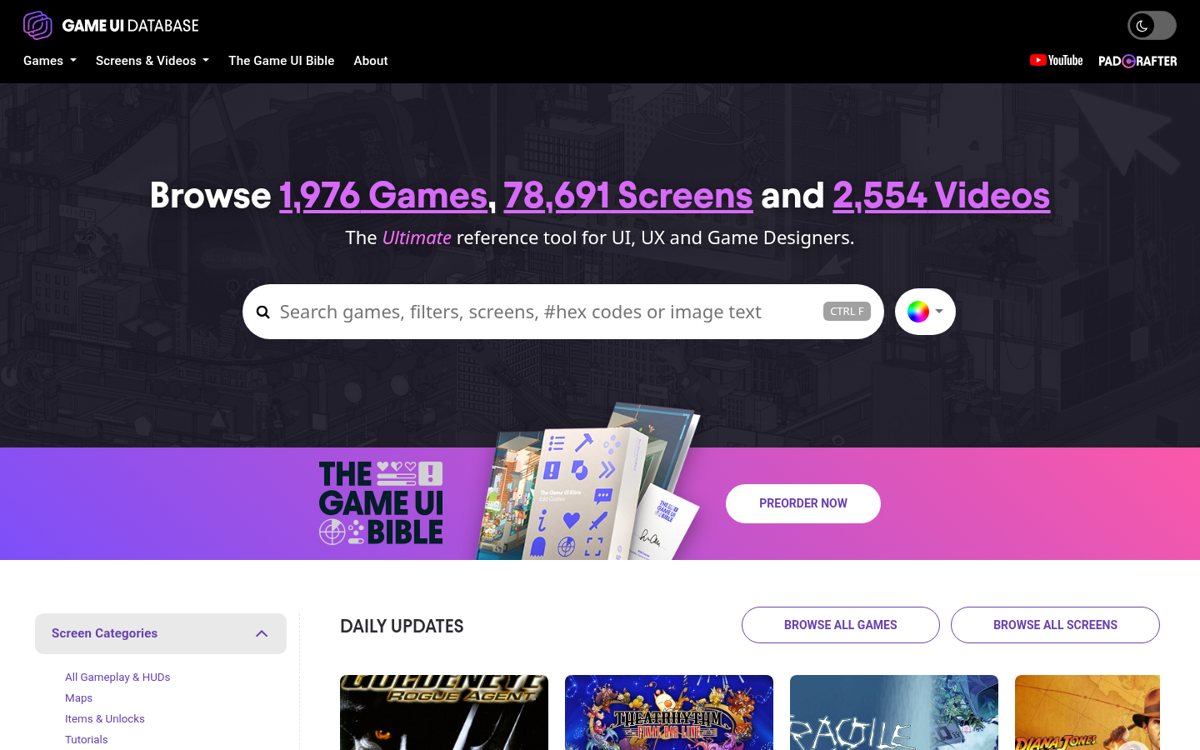
- Our capture of the Game UI Database home: a near-black UI with a magenta-to-purple accent, a big search box that accepts game names, image text and #hex codes, and dense rows of screenshot cards.
- The left filter tree (genre, platform, UI style, element, colour, texture) is the real product.
- Strength: by far the deepest searchable game-UI reference; it lists a ‘Pixel’ UI style and a ‘Retro’ aesthetic.
- Risk: screenshots are publishers’ work, so it is for study, not for lifting assets.
Best practices to borrow
- Search by UI element and filter UI Style ‘Pixel’ or aesthetic ‘Retro’ to see how shipped games solve the same screen (OFFICIAL filters on https://www.gameuidatabase.com/).
- Use the hex-code search to find games that use a colour you are considering (OFFICIAL feature).
- Collect references in a private board with links back; don’t republish the screenshots (OURS).
- Study states, not just screens: the submission guide asks for low/high health and cooldown states, which is what you should design too (OFFICIAL, https://www.gameuidatabase.com/about.php).
- Use a near-black canvas, white text and at most one accent.
- Use a uniform card grid with consistent thumbnails and minimal text per card; put filters above.
- Study and link; never republish the screenshots, which belong to the game publishers.
Deep dive
A structured read of each source’s official README, licence file, package metadata or about page, fetched on 2026-10-24 (UTC+8). OFFICIAL = stated on the cited page or file; ESTIMATED = measured by us (CSS sizes, class and colour counts, contrast); OURS = our interpretation, not legal advice.
What it is
OFFICIAL- ‘Created by Edd Coates as a free resource for UI/UX Designers in the games industry’, built for inspiration and fast reference search.
- Home page on 2026-10-24 showed 1,976 games, 78,691 screens & videos.
Source: www.gameuidatabase.com/about.php
Filters that matter for pixel work
OFFICIAL- Platform includes Retro Handheld and Playdate; Game Aesthetic includes Retro; UI Style includes Pixel; elements include Radial Menu, Tooltip, Tabs, Diegetic.
- The filter list also includes ‘Scanline/CRT’ and ‘Scanline/Grid’ entries and a hex-code colour search.
Source: www.gameuidatabase.com/
Using it fairly
OURS- Screenshots belong to the games’ publishers; use them as private reference and link to the database rather than re-hosting.
- Contributions fund servers; the submission guide asks for pixel-art screens ‘as close to the original resolution as possible’.
Source: www.gameuidatabase.com/
Palette preview
Quick links
Usage terms at a glance
Our plain-language summary of the license recorded above, as of 2026-10-24. Not legal advice: always read the source’s own terms before shipping.
- Commercial use
- Study only
- Attribution
- Link the database
- Redistribution
- No: screenshots belong to the game publishers
- How you get it
- Website (free; supporters fund servers)
How to use
Open gameuidatabase.com → Screens & Videos → filter UI Style ‘Pixel’ or Game Aesthetic ‘Retro’, then by element (e.g. Inventory, Settings).Reference capture
What the source looked like when we analysed it. A fair-use page capture taken by this library; the site, its artwork and marks belong to their owner, and no asset files are redistributed here.
Dominant palette from our captures
Measured by us from our screenshot(s) of https://www.gameuidatabase.com/ (median-cut quantization; share = % of pixels). Approximate and not official.
Layout pattern: Card grid
Observed by us on the captured page(s). See all entries by layout.
How to apply it: Use a uniform card grid with consistent thumbnails and minimal text per card; put filters above.
Other entries with this layout: Fontshare, Logobook, Dribbble · logo tag, Behance · logo projects, Simple Icons, Airbnb, Boring Avatars, Storyset, OpenGameArt.org (+ itch.io free assets), Lospec Palette List.
Components
Observed on the captured pages.
- Search with hex and text filters
- Faceted filter sidebar
- Screenshot card grid
- Video clips
- Grid-overlay and colour-blindness viewers
Our analysis
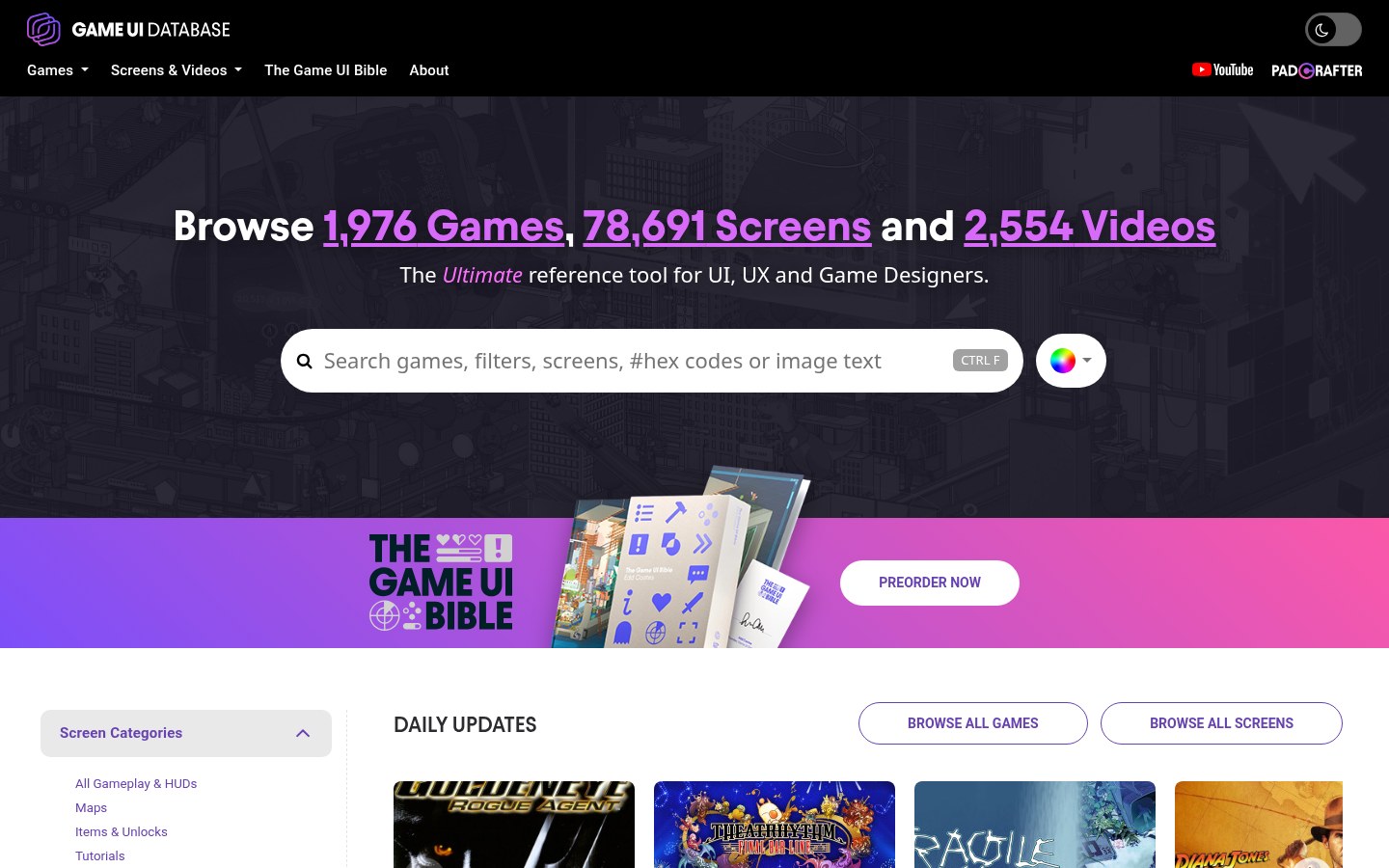
Our capture of the Game UI Database home: a near-black UI with a magenta-to-purple accent, a big search box that accepts game names, image text and #hex codes, and dense rows of screenshot cards. The left filter tree (genre, platform, UI style, element, colour, texture) is the real product. Strength: by far the deepest searchable game-UI reference; it lists a ‘Pixel’ UI style and a ‘Retro’ aesthetic. Risk: screenshots are publishers’ work, so it is for study, not for lifting assets.
Similar to this
Ranked by shared color theme, layout, category, type and mood tags.
Downloads
PDF: research notes made for this library; third-party images inside follow the credits in their captions. License / terms of the source: Free reference site by Edd Coates; game screenshots belong to their publishers. No reuse licence stated on the pages we fetched: study and link, don’t republish
DESIGN.md for AI coding agents
Copy this into your repo or agent context. OFFICIAL and ESTIMATED values are labelled.
# DESIGN.md · Game UI Database (GP-005)

> Written for AI coding agents. Values marked **OFFICIAL** come from the documented source named below; values marked **ESTIMATED** were measured by us from our own screenshots and are approximate. Never treat ESTIMATED values as official brand tokens.

## Overview
- Type: Game UI Reference · Category: K. Gaming and Pixel Art
- Platforms: Web
- Color theme: Monochrome dark · Layout pattern: Card grid · Mood: Dense, professional, searchable
- License / terms: Free reference site by Edd Coates; game screenshots belong to their publishers. No reuse licence stated on the pages we fetched: study and link, don’t republish

Searchable library of game-UI screenshots and videos, filterable by genre, platform, UI style (including Pixel), element (radial menu, tooltip…), colour, texture and screen type, plus hex-code search.

### Analysis (ours)
Our capture of the Game UI Database home: a near-black UI with a magenta-to-purple accent, a big search box that accepts game names, image text and #hex codes, and dense rows of screenshot cards. The left filter tree (genre, platform, UI style, element, colour, texture) is the real product. Strength: by far the deepest searchable game-UI reference; it lists a ‘Pixel’ UI style and a ‘Retro’ aesthetic. Risk: screenshots are publishers’ work, so it is for study, not for lifting assets.

### Best practices (ours)
- Search by UI element and filter UI Style ‘Pixel’ or aesthetic ‘Retro’ to see how shipped games solve the same screen (OFFICIAL filters on https://www.gameuidatabase.com/).
- Use the hex-code search to find games that use a colour you are considering (OFFICIAL feature).
- Collect references in a private board with links back; don’t republish the screenshots (OURS).
- Study states, not just screens: the submission guide asks for low/high health and cooldown states, which is what you should design too (OFFICIAL, https://www.gameuidatabase.com/about.php).

### Deep analysis
Values marked OFFICIAL come from the cited official page, README, licence file or package metadata, fetched 2026-10-24 (UTC+8). ESTIMATED values were measured by us that day (CSS file sizes from unpkg, class and colour counts, contrast ratios). OURS is our interpretation, not legal advice.

#### What it is (OFFICIAL) · source: https://www.gameuidatabase.com/about.php
- ‘Created by Edd Coates as a free resource for UI/UX Designers in the games industry’, built for inspiration and fast reference search.
- Home page on 2026-10-24 showed 1,976 games, 78,691 screens & videos.

#### Filters that matter for pixel work (OFFICIAL) · source: https://www.gameuidatabase.com/
- Platform includes Retro Handheld and Playdate; Game Aesthetic includes Retro; UI Style includes Pixel; elements include Radial Menu, Tooltip, Tabs, Diegetic.
- The filter list also includes ‘Scanline/CRT’ and ‘Scanline/Grid’ entries and a hex-code colour search.

#### Using it fairly (OURS) · source: https://www.gameuidatabase.com/
- Screenshots belong to the games’ publishers; use them as private reference and link to the database rather than re-hosting.
- Contributions fund servers; the submission guide asks for pixel-art screens ‘as close to the original resolution as possible’.

### Usage terms at a glance (our summary, not legal advice)
- Commercial use: Study only
- Attribution: Link the database
- Redistribution: No: screenshots belong to the game publishers
- How you get it: Website (free; supporters fund servers)

## Color tokens
No official color tokens documented for this entry.

ESTIMATED · dominant colors measured from our screenshot(s) of the source site (median-cut quantization; share = % of pixels). Approximate, not official:

- `#FFFFFF` ~17%
- `#B36FA2` ~16%
- `#000000` ~11%
- `#1F1D2A` ~11%
- `#E3E1E2` ~5%
- `#653F8D` ~5%

## Typography
No official type scale documented for this entry; use the product’s own typography guidance.

## Spacing, radii, shadows
Not documented for this entry. Do not invent values; derive from your own design system.

## Components
- Search with hex and text filters
- Faceted filter sidebar
- Screenshot card grid
- Video clips
- Grid-overlay and colour-blindness viewers

## Layout rules
- Observed layout pattern: **Card grid** (from our captures).

## Usage
```
Open gameuidatabase.com → Screens & Videos → filter UI Style ‘Pixel’ or Game Aesthetic ‘Retro’, then by element (e.g. Inventory, Settings).
```

## Do’s and don’ts
- Do: Use a near-black canvas with high-contrast white text and at most one accent.
- Don’t: Don’t add multiple saturated accents or light-mode shadows.
- Do: follow the source’s license/terms listed above.
- Don’t: present ESTIMATED colors as official tokens.

## Sources
- https://www.gameuidatabase.com/
- Library entry: https://design-library-byt.pages.dev/entry/GP-005