NES.css
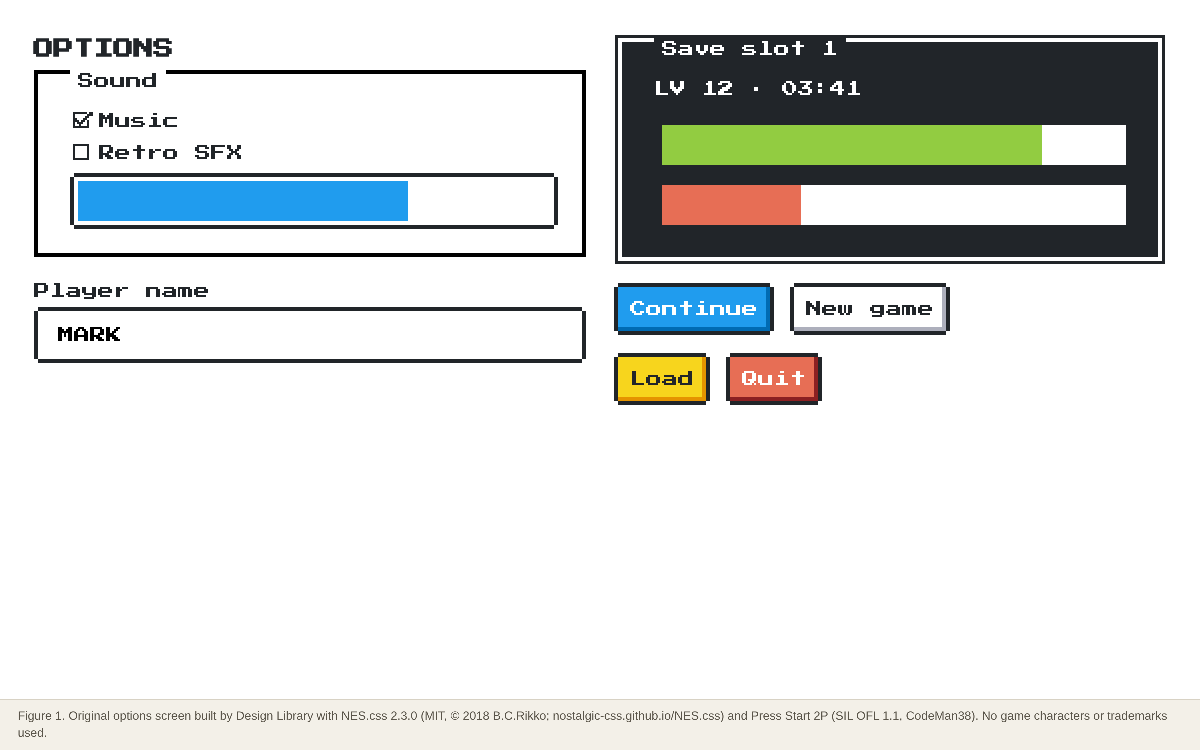
CSS-only, NES-style (8-bit) component framework: buttons, containers, dialogs, inputs, progress bars, balloons and pixel icons. No JavaScript; you bring your own layout and font (Press Start 2P recommended).
Summary
CSS-only, NES-style (8-bit) component framework: buttons, containers, dialogs, inputs, progress bars, balloons and pixel icons. No JavaScript; you bring your own layout and font (Press Start 2P recommended).
What it is
A CSS-only (or CSS + small JS) component kit that restyles plain HTML into a themed UI.
Who it’s for
Developers who want a game or retro look without drawing assets.
Key takeaways
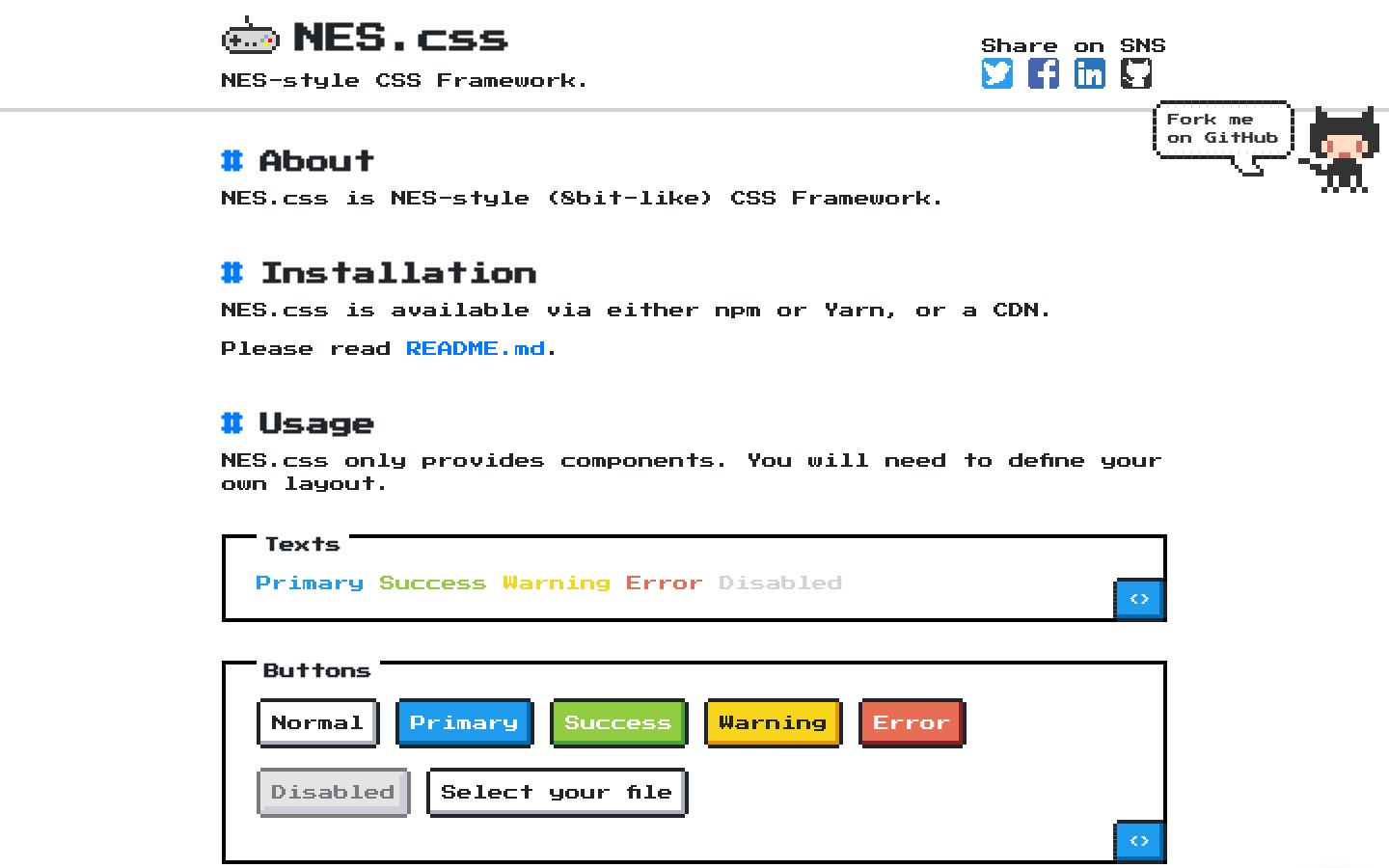
- Our 1440 capture of the NES.css docs: a white page, black 4 px pixel borders, Press Start 2P everywhere and a short column of live component demos (buttons, containers, inputs) with copyable code.
- The primary/success/warning/error colours are flat and saturated, like a console palette.
- Strength: instant retro feel with one CSS file and no JS.
- Risk: Press Start 2P at body size is tiring to read and covers English only (the README says so), and the thick borders eat space on small screens.
Best practices to borrow
- Load Press Start 2P only for headings, buttons and numbers; use a readable font for paragraphs, because the README itself notes Press Start 2P supports English only (OFFICIAL, https://github.com/nostalgic-css/NES.css).
- Define your own layout: ‘NES.css only provides components’ (OFFICIAL, README). Pair it with a simple CSS grid.
- Skip the .nes-mario, .nes-kirby, .nes-pokeball-style icons in a product: they are MIT-licensed CSS drawings of other companies’ characters (OURS).
- Pin the version (2.3.0) in the CDN URL; the minified file is about 288 KB raw / 31 KB gzip (ESTIMATED, our download).
- Use strong black/white contrast and a clear type hierarchy.
- Use a left nav tree, a readable center column and an on-page table of contents.
- Pin the version, load one theme only, and use the retro font for display text, not paragraphs.
Deep dive
A structured read of each source’s official README, licence file, package metadata or about page, fetched on 2026-10-24 (UTC+8). OFFICIAL = stated on the cited page or file; ESTIMATED = measured by us (CSS sizes, class and colour counts, contrast); OURS = our interpretation, not legal advice.
What it is and who it’s for
OURS- A CSS-only component kit that makes buttons, panels and inputs look like an NES-era game.
- For game-jam sites, retro portfolios, event pages and playful internal tools.
Source: nostalgic-css.github.io/NES.css/
Licence and package
OFFICIAL- ‘Code released under the MIT License. Docs released under Creative Commons.’ Copyright 2018 B.C.Rikko.
- npm nes.css 2.3.0; CDN unpkg.com/nes.css@2.3.0/css/nes.min.css; ‘NES.css only requires CSS and doesn’t depend on any JavaScript’.
- Browser support listed: newest Chrome, Firefox, Safari; IE/Edge untested.
Source: github.com/nostalgic-css/NES.css
Measured
ESTIMATED- nes.min.css 2.3.0: 288,523 bytes raw, 31,355 bytes gzip -9 (our download, 2026-10-24).
- 30 distinct .nes-* class names, 8 of them character/brand icons: ash, bulbasaur, charmander, kirby, mario, octocat, pokeball, squirtle (our count).
Source: www.npmjs.com/package/nes.css
Pitfalls and lessons
OURS- MIT covers the CSS, not the characters it draws: leave the character icons out of commercial products.
- Press Start 2P is the README’s default but English-only; the README lists alternatives for Japanese, Korean and Chinese.
Source: nostalgic-css.github.io/NES.css/
Palette preview
Quick links
Usage terms at a glance
Our plain-language summary of the license recorded above, as of 2026-10-24. Not legal advice: always read the source’s own terms before shipping.
- Commercial use
- Yes (MIT)
- Attribution
- Keep the copyright and MIT notice in the CSS you ship
- Redistribution
- Yes, with the licence notice; character icons excepted (trademarks)
- How you get it
- npm, Yarn or unpkg CDN
How to use
npm install nes.css
<link href="https://fonts.googleapis.com/css?family=Press+Start+2P" rel="stylesheet">
<link href="https://unpkg.com/nes.css@2.3.0/css/nes.min.css" rel="stylesheet">
<button type="button" class="nes-btn is-primary">Continue</button>
Reference capture
What the source looked like when we analysed it. A fair-use page capture taken by this library; the site, its artwork and marks belong to their owner, and no asset files are redistributed here.
Figures
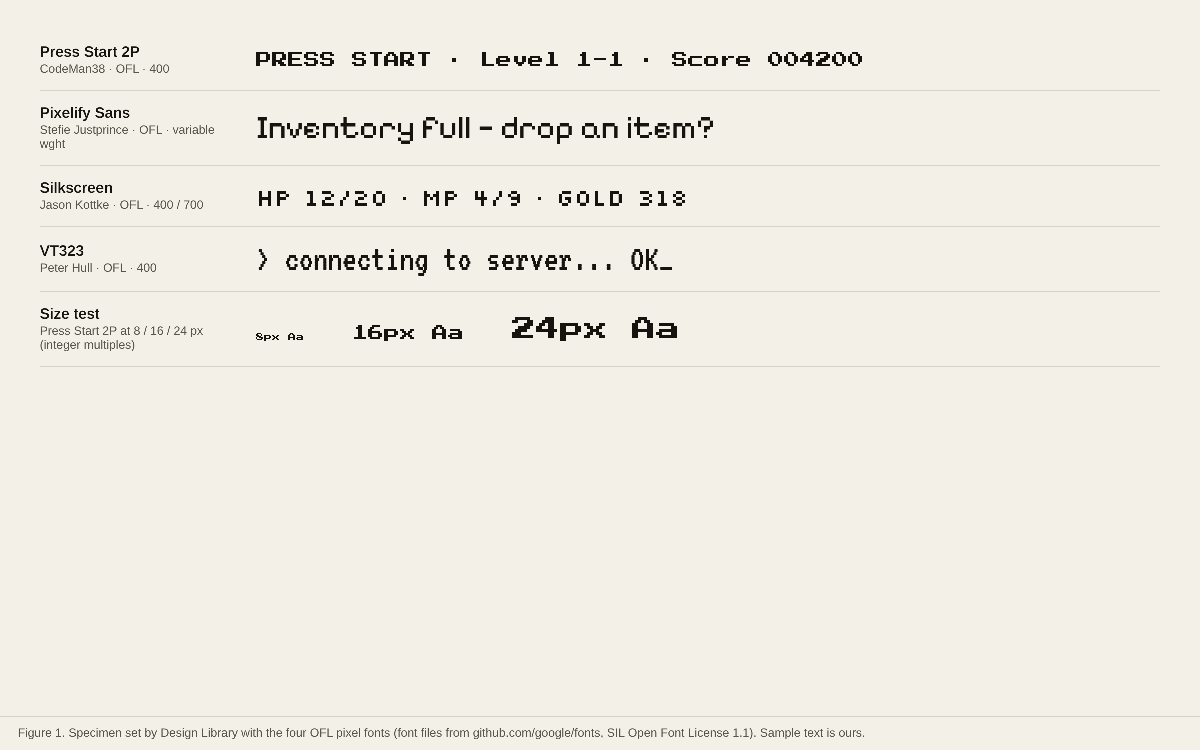
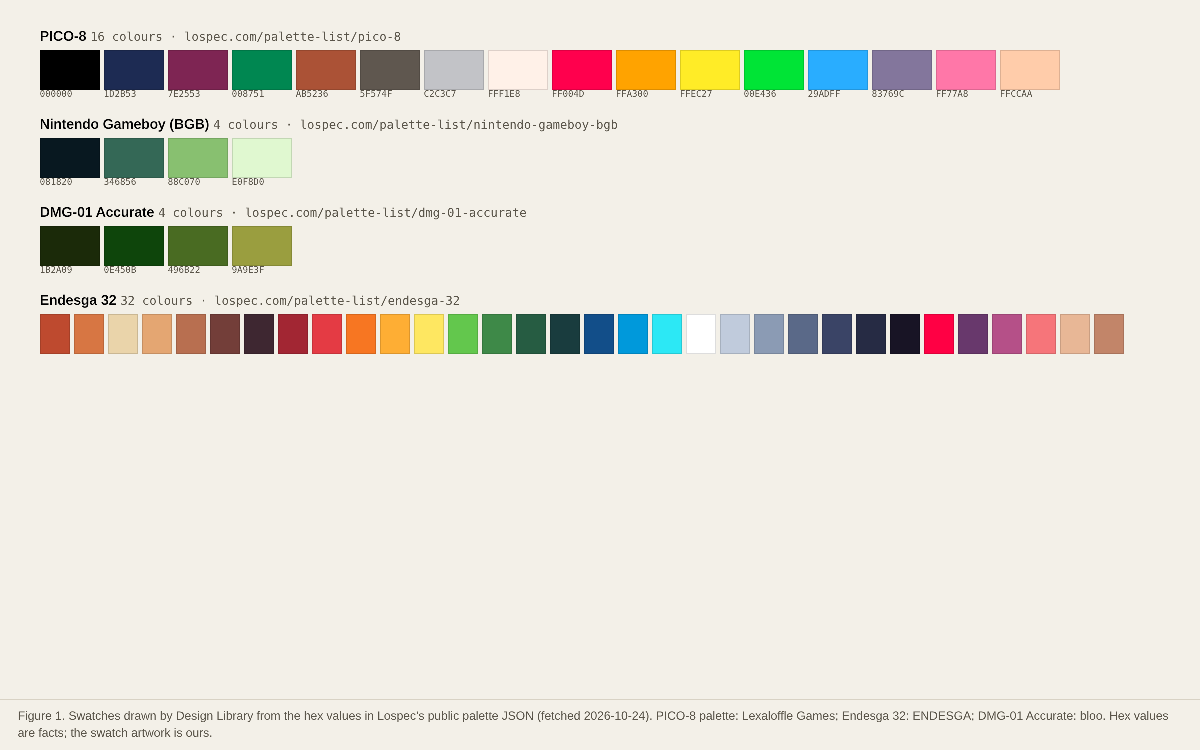
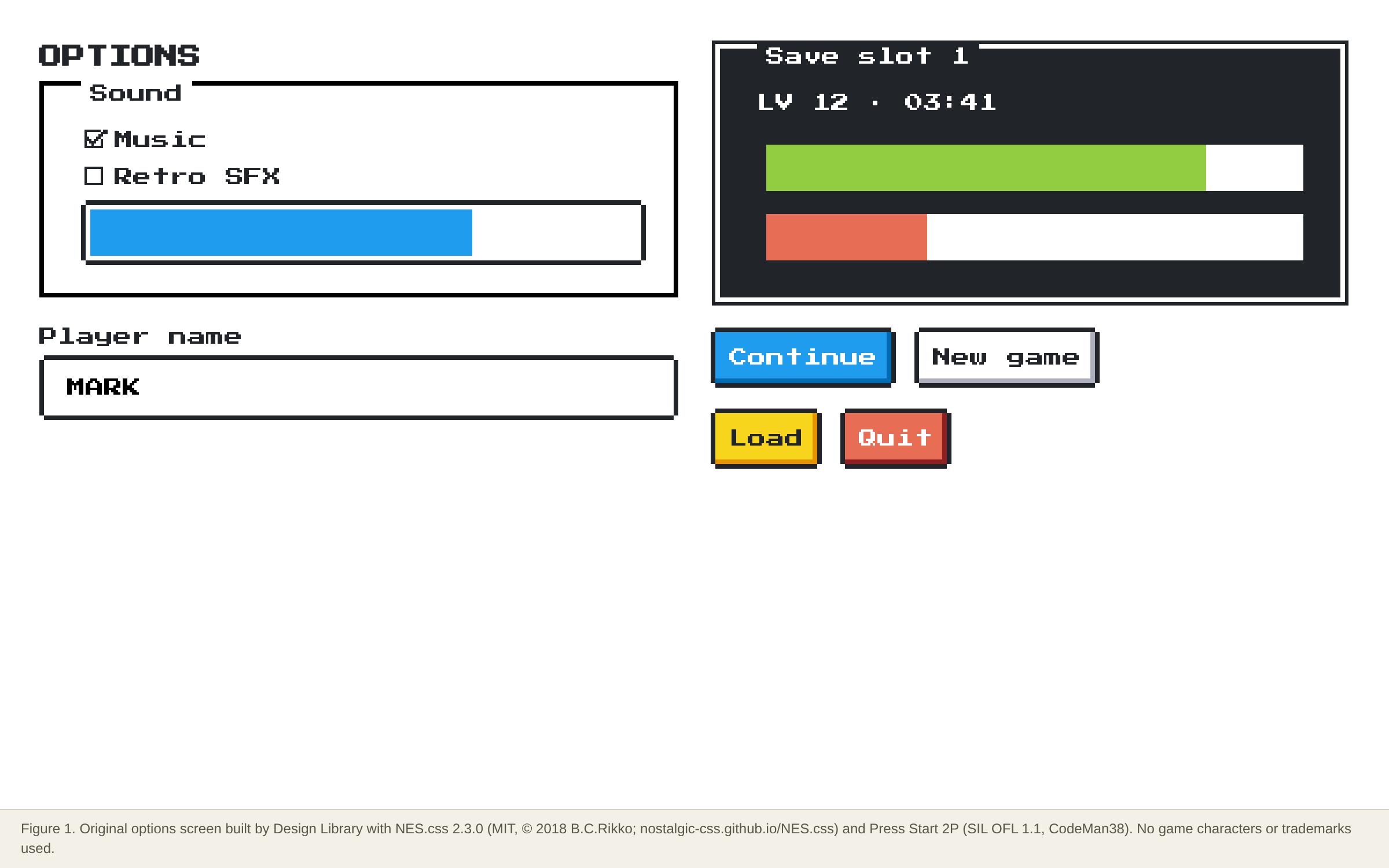
Original figures made by Design Library from open-licensed files (MIT, OFL, CC0) or public palette values; each caption names the files and licences.
Dominant palette from our captures
Measured by us from our screenshot(s) of https://nostalgic-css.github.io/NES.css/ (median-cut quantization; share = % of pixels). Approximate and not official.
Layout pattern: Documentation
Observed by us on the captured page(s). See all entries by layout.
How to apply it: Use a left nav tree, a readable center column and an on-page table of contents.
Other entries with this layout: Apple Human Interface Guidelines, Spotify brand & design guidelines, Vercel brand assets (Geist), DiceBear · Lorelei, DiceBear · Notionists (Notion-style avatars), Anthropic ‘frontend-design’ skill, 98.css + XP.css, RPGUI, Pixel fonts: Press Start 2P, Pixelify Sans, Silkscreen, VT323.
Components
Observed on the captured pages.
- Buttons (primary/success/warning/error)
- Containers with title
- Dialogs
- Text inputs, textarea, select
- Checkboxes and radios
- Progress bars
- Balloons (speech bubbles)
- Tables
- Pixel icons and badges
Our analysis
Our 1440 capture of the NES.css docs: a white page, black 4 px pixel borders, Press Start 2P everywhere and a short column of live component demos (buttons, containers, inputs) with copyable code. The primary/success/warning/error colours are flat and saturated, like a console palette. Strength: instant retro feel with one CSS file and no JS. Risk: Press Start 2P at body size is tiring to read and covers English only (the README says so), and the thick borders eat space on small screens.
Similar to this
Ranked by shared color theme, layout, category, type and mood tags.
Downloads
PDF: research notes made for this library; third-party images inside follow the credits in their captions. License / terms of the source: MIT (code © 2018 B.C.Rikko); docs under Creative Commons per the README. The bundled character icons (Mario, Kirby, Pokémon…) depict third-party trademarks the MIT licence cannot grant
DESIGN.md for AI coding agents
Copy this into your repo or agent context. OFFICIAL and ESTIMATED values are labelled.
# DESIGN.md · NES.css (GP-001)

> Written for AI coding agents. Values marked **OFFICIAL** come from the documented source named below; values marked **ESTIMATED** were measured by us from our own screenshots and are approximate. Never treat ESTIMATED values as official brand tokens.

## Overview
- Type: CSS Framework · Category: K. Gaming and Pixel Art
- Platforms: Web
- Color theme: High-contrast · Layout pattern: Documentation · Mood: Playful, 8-bit, chunky
- License / terms: MIT (code © 2018 B.C.Rikko); docs under Creative Commons per the README. The bundled character icons (Mario, Kirby, Pokémon…) depict third-party trademarks the MIT licence cannot grant

CSS-only, NES-style (8-bit) component framework: buttons, containers, dialogs, inputs, progress bars, balloons and pixel icons. No JavaScript; you bring your own layout and font (Press Start 2P recommended).

### Analysis (ours)
Our 1440 capture of the NES.css docs: a white page, black 4 px pixel borders, Press Start 2P everywhere and a short column of live component demos (buttons, containers, inputs) with copyable code. The primary/success/warning/error colours are flat and saturated, like a console palette. Strength: instant retro feel with one CSS file and no JS. Risk: Press Start 2P at body size is tiring to read and covers English only (the README says so), and the thick borders eat space on small screens.

### Best practices (ours)
- Load Press Start 2P only for headings, buttons and numbers; use a readable font for paragraphs, because the README itself notes Press Start 2P supports English only (OFFICIAL, https://github.com/nostalgic-css/NES.css).
- Define your own layout: ‘NES.css only provides components’ (OFFICIAL, README). Pair it with a simple CSS grid.
- Skip the .nes-mario, .nes-kirby, .nes-pokeball-style icons in a product: they are MIT-licensed CSS drawings of other companies’ characters (OURS).
- Pin the version (2.3.0) in the CDN URL; the minified file is about 288 KB raw / 31 KB gzip (ESTIMATED, our download).

### Deep analysis
Values marked OFFICIAL come from the cited official page, README, licence file or package metadata, fetched 2026-10-24 (UTC+8). ESTIMATED values were measured by us that day (CSS file sizes from unpkg, class and colour counts, contrast ratios). OURS is our interpretation, not legal advice.

#### What it is and who it’s for (OURS) · source: https://nostalgic-css.github.io/NES.css/
- A CSS-only component kit that makes buttons, panels and inputs look like an NES-era game.
- For game-jam sites, retro portfolios, event pages and playful internal tools.

#### Licence and package (OFFICIAL) · source: https://github.com/nostalgic-css/NES.css
- ‘Code released under the MIT License. Docs released under Creative Commons.’ Copyright 2018 B.C.Rikko.
- npm nes.css 2.3.0; CDN unpkg.com/nes.css@2.3.0/css/nes.min.css; ‘NES.css only requires CSS and doesn’t depend on any JavaScript’.
- Browser support listed: newest Chrome, Firefox, Safari; IE/Edge untested.

#### Measured (ESTIMATED) · source: https://www.npmjs.com/package/nes.css
- nes.min.css 2.3.0: 288,523 bytes raw, 31,355 bytes gzip -9 (our download, 2026-10-24).
- 30 distinct .nes-* class names, 8 of them character/brand icons: ash, bulbasaur, charmander, kirby, mario, octocat, pokeball, squirtle (our count).

#### Pitfalls and lessons (OURS) · source: https://nostalgic-css.github.io/NES.css/
- MIT covers the CSS, not the characters it draws: leave the character icons out of commercial products.
- Press Start 2P is the README’s default but English-only; the README lists alternatives for Japanese, Korean and Chinese.

### Usage terms at a glance (our summary, not legal advice)
- Commercial use: Yes (MIT)
- Attribution: Keep the copyright and MIT notice in the CSS you ship
- Redistribution: Yes, with the licence notice; character icons excepted (trademarks)
- How you get it: npm, Yarn or unpkg CDN

## Color tokens
No official color tokens documented for this entry.

ESTIMATED · dominant colors measured from our screenshot(s) of the source site (median-cut quantization; share = % of pixels). Approximate, not official:

- `#FFFFFF` ~81%
- `#E6E6E2` ~4%
- `#AEA9A4` ~3%
- `#31393E` ~3%
- `#736563` ~2%
- `#658FAB` ~1%

## Typography
No official type scale documented for this entry; use the product’s own typography guidance.

## Spacing, radii, shadows
Not documented for this entry. Do not invent values; derive from your own design system.

## Components
- Buttons (primary/success/warning/error)
- Containers with title
- Dialogs
- Text inputs, textarea, select
- Checkboxes and radios
- Progress bars
- Balloons (speech bubbles)
- Tables
- Pixel icons and badges

## Layout rules
- Observed layout pattern: **Documentation** (from our captures).

## Usage
```
npm install nes.css
<link href="https://fonts.googleapis.com/css?family=Press+Start+2P" rel="stylesheet">
<link href="https://unpkg.com/nes.css@2.3.0/css/nes.min.css" rel="stylesheet">
<button type="button" class="nes-btn is-primary">Continue</button>
```

## Do’s and don’ts
- Do: Use pure black/white contrasts and strong type hierarchy.
- Don’t: Don’t use mid-grays for important text.
- Do: follow the source’s license/terms listed above.
- Don’t: present ESTIMATED colors as official tokens.

## Sources
- https://nostalgic-css.github.io/NES.css/
- Library entry: https://design-library-byt.pages.dev/entry/GP-001