Anthropic ‘frontend-design’ skill
Anthropic’s official agent skill for building UI that doesn’t look templated: start from the subject, plan a small token system, review the plan against a list of common AI-design tells, then build with restraint, an accessibility floor and plain, useful copy. Summarized here with a worked token plan, a checklist and a copyable agent prompt.
Summary
Anthropic’s official agent skill for building UI that doesn’t look templated: start from the subject, plan a small token system, review the plan against a list of common AI-design tells, then build with restraint, an accessibility floor and plain, useful copy. Summarized here with a worked token plan, a checklist and a copyable agent prompt.
What it is
An official AI agent skill: written instructions an AI coding agent loads to guide how it designs and builds UI.
Who it’s for
Designers and developers who use AI agents to build interfaces and want results that don’t look templated, plus anyone writing their own design prompt or DESIGN.md.
Key takeaways
- Anthropic’s skill is a process, not a style: it pushes the agent to derive choices from the subject, write a small token plan, then audit that plan against the looks AI tools converge on before coding.
- The strongest ideas to borrow are the explicit two-pass review, ‘spend your boldness in one place’, an unannounced accessibility floor, and treating copy as design content.
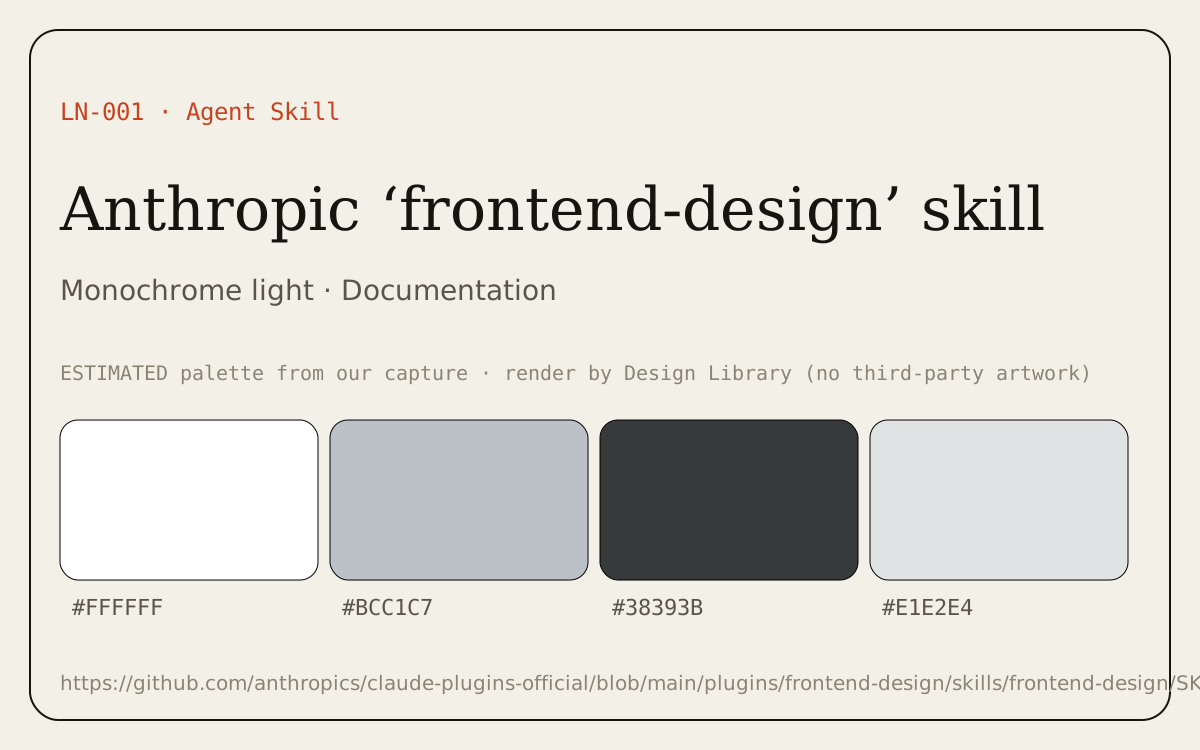
- Color: monochrome light theme; dominant colors #FFFFFF, #BCC1C7, #38393B (ESTIMATED from our capture).
Best practices to borrow
- Keep chrome neutral and let content carry color.
- Use a left nav tree, a readable center column and an on-page table of contents.
- Plan tokens first, review the plan against the common AI-design tells, then build; keep the checklist next to your prompt.
Palette preview
Link-only entry: no third-party images are reproduced; the hero above is our own palette render. Open the source for visuals.
Source and license
Official source: anthropics/claude-plugins-official · frontend-design/SKILL.md (also in anthropics/skills). License: Apache License 2.0, © Anthropic.
Checked 2026-10-23 on the main branch of anthropics/claude-plugins-official (the same file is in anthropics/skills and anthropics/claude-code). Note: the older cached copy installed on our machine is a shorter earlier version; this entry follows the current public file. Apache 2.0 allows reproduction with attribution and a notice of changes, so a few short lines are quoted below with their source; everything else on this page is our paraphrase (modified, condensed).
The approach, summarized
Common AI-design tells to review against
Paraphrased from the skill. Each is legitimate when the brief asks for it; the problem is reaching for them by default.
- Warm cream background with a high-contrast serif and a terracotta/clay accent.
- Near-black background with one acid-green or vermilion accent.
- Broadsheet look: hairline rules, zero radius, dense newspaper columns.
- The SaaS card kit: identical rounded cards, one radius everywhere, the same soft grey shadow, gradient washes as decoration.
- Template chrome: tracked ALL-CAPS eyebrows over every heading, ‘A · B · C’ meta strings, ‘WORD — fragment’ labels, tinted near-black instead of black, monospace for small labels, ‘→’ on every link and button.
- Type tells: one accented word in a headline, all-caps labels, unnecessary labels above content.
- Motion tells: fade-and-slide-up on each section, hover transitions on every card.
In its own words
- “Work in two passes.” (SKILL.md, Process section)
- “Spend your boldness in one place.” (SKILL.md, Restraint and self-critique)
- “Errors don't apologize, and they are never vague about what happened.” (SKILL.md, More on writing in design)
- “the brief's own words always win, including when it asks for one of these looks.” (SKILL.md, Process section)
Worked example: a token plan, reviewed
Our own example, written to show the two-pass process. Not from the skill. Colors are illustrative choices, not measured values.
Brief: Booking site for a small neighborhood ceramics studio: wheel classes, open-studio hours and glaze-firing pickups. Audience: adult beginners nearby, on phones. Main job: book a class in under a minute.
Pass 1 (first draft)
Color   clay-cream  #F4EFE6   base
        terracotta  #C8643F   accent
        espresso    #2A211B   text
        sage        #9AAE8C   support
Type    high-contrast serif display + Inter body
Layout  centered hero, big serif headline with one italic word,
        3 identical rounded feature cards, testimonial, CTA band
Notes   ALL-CAPS eyebrow above each section, fade-up on scroll
Review: what changed and why
- Cream + terracotta + serif matched tell #1 (and a cream/clay palette is what any ‘ceramics’ prompt produces), so the palette moved to real glaze colors: celadon, iron oxide, cobalt.
- Inter body and one italic headline word are generic type tells: replaced with a deliberate grotesk and no accented word.
- Three identical rounded cards is the SaaS card kit: the timetable replaces them because booking is the main job.
- ALL-CAPS eyebrows and fade-up on scroll removed; the only motion is the chip confirming a booking.
Pass 2 (after review against the brief)
Color   kiln-white   #F7F6F2   base (cooler, like bisque ware)
        celadon      #7FA79A   primary (a real glaze color)
        iron-oxide   #6E3B26   text-strong / links
        slip-grey    #C9C4BA   rules, borders
        cobalt-glaze #24447A   one accent: the Book button only
Type    Display: a humanist serif with visible stroke contrast, used
        large only in the class names. Body: one sturdy grotesk at
        17px / 1.55, measure ≤ 70ch. Scale 17 / 21 / 28 / 44.
Layout  Left-aligned. The hero IS the timetable: this week’s classes
        as a glaze-chip grid you can tap to book.
        +-----------------------------------------------+
        | Studio name            Classes  Open studio  Book |
        |-----------------------------------------------|
        | Throw your first bowl this week.              |
        | [Tue 19:00 Wheel 1 ●] [Thu 10:00 Handbuild ●] |
        | [Sat 14:00 Wheel 1 ●] [Sun 11:00 Glazing  ○]  |
        |-----------------------------------------------|
        | What a class includes  | Photo: hands on clay |
        | Pickups: fired work ready dates (list)        |
        +-----------------------------------------------+
Principles  One bold thing: the glaze-chip timetable. Everything else
        is quiet. Real class names, times and prices only.
        Copy says what happens: "Book Tuesday 19:00", toast "Booked".
        Focus ring in cobalt; prefers-reduced-motion: no movement.
Checklist
Tick boxes as you go (they reset on reload). Also included in the Agent MD tab.
Before designing
Token plan (pass 1)
Review (pass 2)
Build
Accessibility floor
Writing
Agent prompt: the skill as a copyable DESIGN.md
Paraphrased bundle with attribution and license notice, ready to paste into an agent’s context. The full entry DESIGN.md (with this prompt) is in the Agent MD tab.
# DESIGN.md · Agent prompt: distinctive frontend design

> Paraphrased bundle of Anthropic’s ‘frontend-design’ skill (Apache License 2.0, © Anthropic).
> Source: https://github.com/anthropics/claude-plugins-official/blob/main/plugins/frontend-design/skills/frontend-design/SKILL.md
> License: https://github.com/anthropics/claude-plugins-official/blob/main/plugins/frontend-design/skills/frontend-design/LICENSE.txt
> Modified: condensed and reworded by Mark’s UI/UX Design Research Library; quoted phrases are marked. For the exact wording, use the source file.

## Role
You are the design lead for a client who has rejected templated proposals. Make deliberate, opinionated choices about palette, type and layout that are specific to this brief.

## 1. Ground the design in the subject
- If the brief doesn’t name the product, propose one concrete subject, audience and primary job, and confirm it.
- Draw visual choices from the subject’s industry, materials and vocabulary. Use real content throughout.

## 2. Pass one: token plan (before any code)
- Color: 4–6 named hex values with roles.
- Type: 1–2 typefaces and their roles; a clear type scale; body lines under ~80 characters (slightly more line-height for serif body).
- Layout: a one-sentence concept plus ASCII wireframes; state alignment (left / center / justified).
- Principles: what makes this page unique.

## 3. Pass two: review the plan against the brief
Revise any part that reads like a default you’d produce for any similar prompt, and say what you changed and why. Common AI-design tells (fine only when the brief asks for them; the brief’s own words always win):
- Warm cream background with a high-contrast serif and a terracotta/clay accent.
- Near-black background with one acid-green or vermilion accent.
- Broadsheet look: hairline rules, zero radius, dense newspaper columns.
- The SaaS card kit: identical rounded cards, one radius everywhere, the same soft grey shadow, gradient washes as decoration.
- Template chrome: tracked ALL-CAPS eyebrows over every heading, ‘A · B · C’ meta strings, ‘WORD — fragment’ labels, tinted near-black instead of black, monospace for small labels, ‘→’ on every link and button.
- Type tells: one accented word in a headline, all-caps labels, unnecessary labels above content.
- Motion tells: fade-and-slide-up on each section, hover transitions on every card.

## 4. Build
- Hero: open with the most characteristic thing in the subject’s world; avoid the ‘big number + small label + gradient’ default unless it truly fits.
- Type is part of the design, not a neutral container.
- Structure (borders, numbering, dividers, labels) must encode information; numbered markers only for real sequences.
- Motion: one orchestrated moment at most; feedback motion for user actions is fine.
- Watch CSS specificity so section and component rules don’t cancel each other’s spacing.

## 5. Restraint and self-critique
- Spend boldness in one place; keep everything else quiet; cut decoration that doesn’t serve the brief.
- Review screenshots as you build. Before finishing, remove one accessory.
- Keep short notes of what you tried so the next design differs.

## 6. Accessibility floor (do it, don’t announce it)
- Responsive down to mobile, no horizontal scroll.
- Visible keyboard focus.
- Respect prefers-reduced-motion.
- Readable contrast (WCAG AA) and a harmonious palette.

## 7. Writing
- Words help people understand and act; they are content, not decoration.
- Use the user’s vocabulary (“notifications”, not “webhook config”). Plain, specific, not salesy.
- Active voice. Buttons say what happens (“Save changes”, not “Submit”); keep the verb through the flow (Publish → Published).
- Errors explain what happened and how to fix it; they don’t apologize. Empty states invite action.
- Sentence case, plain verbs, no filler; each element does one job.

## Checklist
### Before designing
- [ ] The subject, audience and main job are written in one sentence each (and confirmed if I inferred them).
- [ ] I listed 3+ things from the subject’s world (materials, vocabulary, artifacts) to draw from.
- [ ] I have real content, or realistic content written in the user’s words.

### Token plan (pass 1)
- [ ] 4–6 named hex colors with roles.
- [ ] 1–2 typefaces with roles and a type scale; body measure under ~80 characters.
- [ ] Layout concept in one sentence plus an ASCII wireframe, with alignment stated.
- [ ] 2–4 principles that make this page specific.

### Review (pass 2)
- [ ] Compared against the AI-design tells: cream/serif/clay, black + acid accent, broadsheet hairlines, SaaS card kit, template chrome.
- [ ] Checked type tells: single accented word, all-caps labels, extra labels.
- [ ] Every numbered marker marks a real sequence; every border/divider carries meaning.
- [ ] Revised anything generic and wrote down what changed and why.
- [ ] Where the brief specifies a look, I followed the brief exactly.

### Build
- [ ] Boldness spent in one place; everything else quiet.
- [ ] At most one orchestrated motion moment; action feedback shows what changed.
- [ ] CSS specificity checked (no section/component rules cancelling each other’s spacing).
- [ ] Screenshots reviewed while building; removed one accessory before finishing.

### Accessibility floor
- [ ] Works down to 320–375px with no horizontal scroll.
- [ ] Visible keyboard focus on every interactive element.
- [ ] prefers-reduced-motion respected.
- [ ] Text contrast meets WCAG AA (4.5:1 body, 3:1 large text and UI).

### Writing
- [ ] Names come from the user’s vocabulary, not the system’s.
- [ ] Buttons say what happens; the same verb carries through the flow (Publish → Published).
- [ ] Errors say what happened and how to fix it, without apologizing.
- [ ] Empty states invite the next action.
- [ ] Sentence case, active voice, no filler.

## Output order
1. Subject / audience / job (confirm if inferred) 2. Token plan 3. Review notes: what changed and why 4. Code 5. Self-critique against the checklist
Dominant palette from our captures
Measured by us from our screenshot(s) of https://github.com/anthropics/claude-plugins-official/blob/main/plugins/frontend-design/skills/frontend-design/SKILL.md (median-cut quantization; share = % of pixels). Approximate and not official.
Layout pattern: Documentation
Observed by us on the captured page(s). See all entries by layout.
How to apply it: Use a left nav tree, a readable center column and an on-page table of contents.
Other entries with this layout: Apple Human Interface Guidelines, Spotify brand & design guidelines, Vercel brand assets (Geist), DiceBear · Lorelei, DiceBear · Notionists (Notion-style avatars).
Components
Observed on the captured pages.
- Token plan (color, type, layout, principles)
- ASCII wireframe
- AI-design tells list
- Self-critique checklist
- Writing rules
Our analysis
Anthropic’s skill is a process, not a style: it pushes the agent to derive choices from the subject, write a small token plan, then audit that plan against the looks AI tools converge on before coding. The strongest ideas to borrow are the explicit two-pass review, ‘spend your boldness in one place’, an unannounced accessibility floor, and treating copy as design content.
Similar to this
Ranked by shared color theme, layout, category, type and mood tags.
Downloads
License / terms of the source: Apache License 2.0 (© Anthropic). Short quotes are reproduced with attribution; everything else is our paraphrase and is marked as modified.
DESIGN.md for AI coding agents
Copy this into your repo or agent context. OFFICIAL and ESTIMATED values are labelled.
# DESIGN.md · Anthropic ‘frontend-design’ skill (LN-001)

> Written for AI coding agents. Values marked **OFFICIAL** come from the documented source named below; values marked **ESTIMATED** were measured by us from our own screenshots and are approximate. Never treat ESTIMATED values as official brand tokens.

## Overview
- Type: Agent Skill · Category: G. Learning and Case Studies
- Platforms: Web
- Color theme: Monochrome light · Layout pattern: Documentation · Mood: Educational, process-driven
- License / terms: Apache License 2.0 (© Anthropic). Short quotes are reproduced with attribution; everything else is our paraphrase and is marked as modified.

Anthropic’s official agent skill for building UI that doesn’t look templated: start from the subject, plan a small token system, review the plan against a list of common AI-design tells, then build with restraint, an accessibility floor and plain, useful copy. Summarized here with a worked token plan, a checklist and a copyable agent prompt.

### Analysis (ours)
Anthropic’s skill is a process, not a style: it pushes the agent to derive choices from the subject, write a small token plan, then audit that plan against the looks AI tools converge on before coding. The strongest ideas to borrow are the explicit two-pass review, ‘spend your boldness in one place’, an unannounced accessibility floor, and treating copy as design content.

## Color tokens
No official color tokens documented for this entry.

ESTIMATED · dominant colors measured from our screenshot(s) of the source site (median-cut quantization; share = % of pixels). Approximate, not official:

- `#FFFFFF` ~48%
- `#BCC1C7` ~10%
- `#38393B` ~8%
- `#E1E2E4` ~4%

## Typography
No official type scale documented for this entry; use the product’s own typography guidance.

## Spacing, radii, shadows
Not documented for this entry. Do not invent values; derive from your own design system.

## Components
- Token plan (color, type, layout, principles)
- ASCII wireframe
- AI-design tells list
- Self-critique checklist
- Writing rules

## Layout rules
- Observed layout pattern: **Documentation** (from our captures).

## Do’s and don’ts
- Do: Keep chrome neutral and let content (images, icons, type) carry color.
- Don’t: Don’t introduce decorative color that competes with content.
- Do: follow the source’s license/terms listed above.
- Don’t: present ESTIMATED colors as official tokens.

## Sources
- https://github.com/anthropics/claude-plugins-official/blob/main/plugins/frontend-design/skills/frontend-design/SKILL.md
- Library entry: https://design-library-byt.pages.dev/entry/LN-001
## Bundled agent prompt (copy below this line)

# DESIGN.md · Agent prompt: distinctive frontend design

> Paraphrased bundle of Anthropic’s ‘frontend-design’ skill (Apache License 2.0, © Anthropic).
> Source: https://github.com/anthropics/claude-plugins-official/blob/main/plugins/frontend-design/skills/frontend-design/SKILL.md
> License: https://github.com/anthropics/claude-plugins-official/blob/main/plugins/frontend-design/skills/frontend-design/LICENSE.txt
> Modified: condensed and reworded by Mark’s UI/UX Design Research Library; quoted phrases are marked. For the exact wording, use the source file.

## Role
You are the design lead for a client who has rejected templated proposals. Make deliberate, opinionated choices about palette, type and layout that are specific to this brief.

## 1. Ground the design in the subject
- If the brief doesn’t name the product, propose one concrete subject, audience and primary job, and confirm it.
- Draw visual choices from the subject’s industry, materials and vocabulary. Use real content throughout.

## 2. Pass one: token plan (before any code)
- Color: 4–6 named hex values with roles.
- Type: 1–2 typefaces and their roles; a clear type scale; body lines under ~80 characters (slightly more line-height for serif body).
- Layout: a one-sentence concept plus ASCII wireframes; state alignment (left / center / justified).
- Principles: what makes this page unique.

## 3. Pass two: review the plan against the brief
Revise any part that reads like a default you’d produce for any similar prompt, and say what you changed and why. Common AI-design tells (fine only when the brief asks for them; the brief’s own words always win):
- Warm cream background with a high-contrast serif and a terracotta/clay accent.
- Near-black background with one acid-green or vermilion accent.
- Broadsheet look: hairline rules, zero radius, dense newspaper columns.
- The SaaS card kit: identical rounded cards, one radius everywhere, the same soft grey shadow, gradient washes as decoration.
- Template chrome: tracked ALL-CAPS eyebrows over every heading, ‘A · B · C’ meta strings, ‘WORD — fragment’ labels, tinted near-black instead of black, monospace for small labels, ‘→’ on every link and button.
- Type tells: one accented word in a headline, all-caps labels, unnecessary labels above content.
- Motion tells: fade-and-slide-up on each section, hover transitions on every card.

## 4. Build
- Hero: open with the most characteristic thing in the subject’s world; avoid the ‘big number + small label + gradient’ default unless it truly fits.
- Type is part of the design, not a neutral container.
- Structure (borders, numbering, dividers, labels) must encode information; numbered markers only for real sequences.
- Motion: one orchestrated moment at most; feedback motion for user actions is fine.
- Watch CSS specificity so section and component rules don’t cancel each other’s spacing.

## 5. Restraint and self-critique
- Spend boldness in one place; keep everything else quiet; cut decoration that doesn’t serve the brief.
- Review screenshots as you build. Before finishing, remove one accessory.
- Keep short notes of what you tried so the next design differs.

## 6. Accessibility floor (do it, don’t announce it)
- Responsive down to mobile, no horizontal scroll.
- Visible keyboard focus.
- Respect prefers-reduced-motion.
- Readable contrast (WCAG AA) and a harmonious palette.

## 7. Writing
- Words help people understand and act; they are content, not decoration.
- Use the user’s vocabulary (“notifications”, not “webhook config”). Plain, specific, not salesy.
- Active voice. Buttons say what happens (“Save changes”, not “Submit”); keep the verb through the flow (Publish → Published).
- Errors explain what happened and how to fix it; they don’t apologize. Empty states invite action.
- Sentence case, plain verbs, no filler; each element does one job.

## Checklist
### Before designing
- [ ] The subject, audience and main job are written in one sentence each (and confirmed if I inferred them).
- [ ] I listed 3+ things from the subject’s world (materials, vocabulary, artifacts) to draw from.
- [ ] I have real content, or realistic content written in the user’s words.

### Token plan (pass 1)
- [ ] 4–6 named hex colors with roles.
- [ ] 1–2 typefaces with roles and a type scale; body measure under ~80 characters.
- [ ] Layout concept in one sentence plus an ASCII wireframe, with alignment stated.
- [ ] 2–4 principles that make this page specific.

### Review (pass 2)
- [ ] Compared against the AI-design tells: cream/serif/clay, black + acid accent, broadsheet hairlines, SaaS card kit, template chrome.
- [ ] Checked type tells: single accented word, all-caps labels, extra labels.
- [ ] Every numbered marker marks a real sequence; every border/divider carries meaning.
- [ ] Revised anything generic and wrote down what changed and why.
- [ ] Where the brief specifies a look, I followed the brief exactly.

### Build
- [ ] Boldness spent in one place; everything else quiet.
- [ ] At most one orchestrated motion moment; action feedback shows what changed.
- [ ] CSS specificity checked (no section/component rules cancelling each other’s spacing).
- [ ] Screenshots reviewed while building; removed one accessory before finishing.

### Accessibility floor
- [ ] Works down to 320–375px with no horizontal scroll.
- [ ] Visible keyboard focus on every interactive element.
- [ ] prefers-reduced-motion respected.
- [ ] Text contrast meets WCAG AA (4.5:1 body, 3:1 large text and UI).

### Writing
- [ ] Names come from the user’s vocabulary, not the system’s.
- [ ] Buttons say what happens; the same verb carries through the flow (Publish → Published).
- [ ] Errors say what happened and how to fix it, without apologizing.
- [ ] Empty states invite the next action.
- [ ] Sentence case, active voice, no filler.

## Output order
1. Subject / audience / job (confirm if inferred) 2. Token plan 3. Review notes: what changed and why 4. Code 5. Self-critique against the checklist